Guides: storage & data
How to move a bucket to another backend
This guide shows you how to relocate a bucket's data from one backend to another with the built-in migrate job. The example moves db-archive from local-disk to hetzner-fsn1. For how the job survives crashes and gates writes, see jobs and durability.
Before you start#
- Reads keep working for the whole migration.
- Writes get
503 SlowDownwhile the job runs. AWS SDKs back off and retry automatically, so well-behaved clients just slow down; anything that treats 503 as fatal should be paused. The gate lifts the moment the bucket flips to the new backend — before any optional source cleanup. - The target backend must already be declared in
storage.backends(see How to route a bucket to a different backend). - The copy goes through the engine, so encryption and delta compression stay transparent — each side applies its own configuration. You can move between backends with different encryption modes or keys.
1. Start the job#
From the admin UI: Settings → Storage → Buckets → (db-archive) → Migrate data…, pick hetzner-fsn1 as the target, and leave "delete source" off.
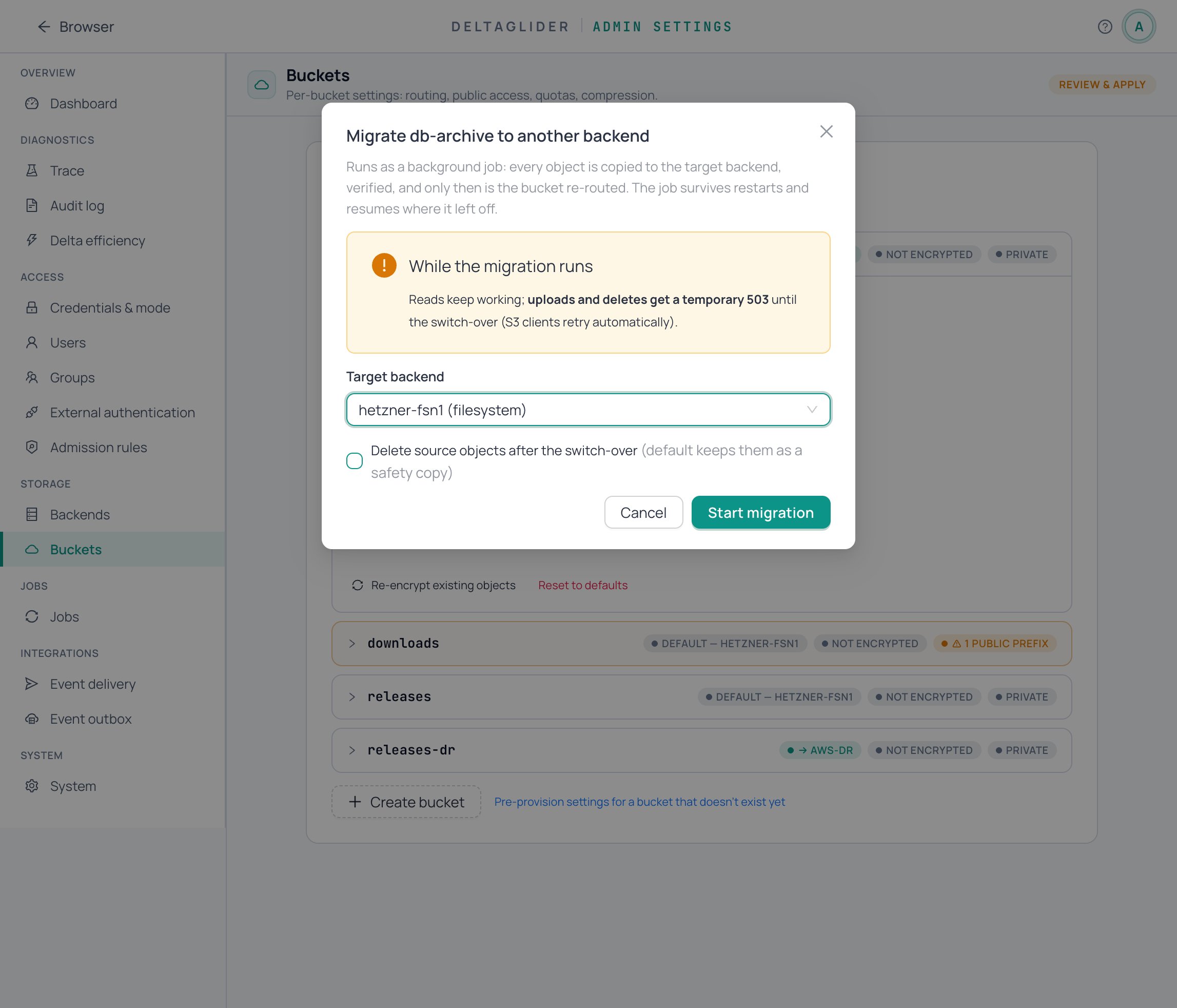
Or via the API:
curl -b cookies -X POST \
  https://s3.acme.example/_/api/admin/buckets/db-archive/migrate \
  -H 'Content-Type: application/json' \
  -d '{"target_backend": "hetzner-fsn1", "delete_source": false}'
The response is 202 Accepted with a maintenance:<n> job id. delete_source defaults to false — the safe path leaves the source copy in place for you to remove after verifying.
The job stages the destination, copies every object through the engine, verifies, flips the bucket's routing to the new backend, and cleans up.
2. Watch it run#
Open Settings → Jobs. The migration appears as a maintenance:<n> row with live progress (objects and bytes); the drawer shows its run and any per-object failures.
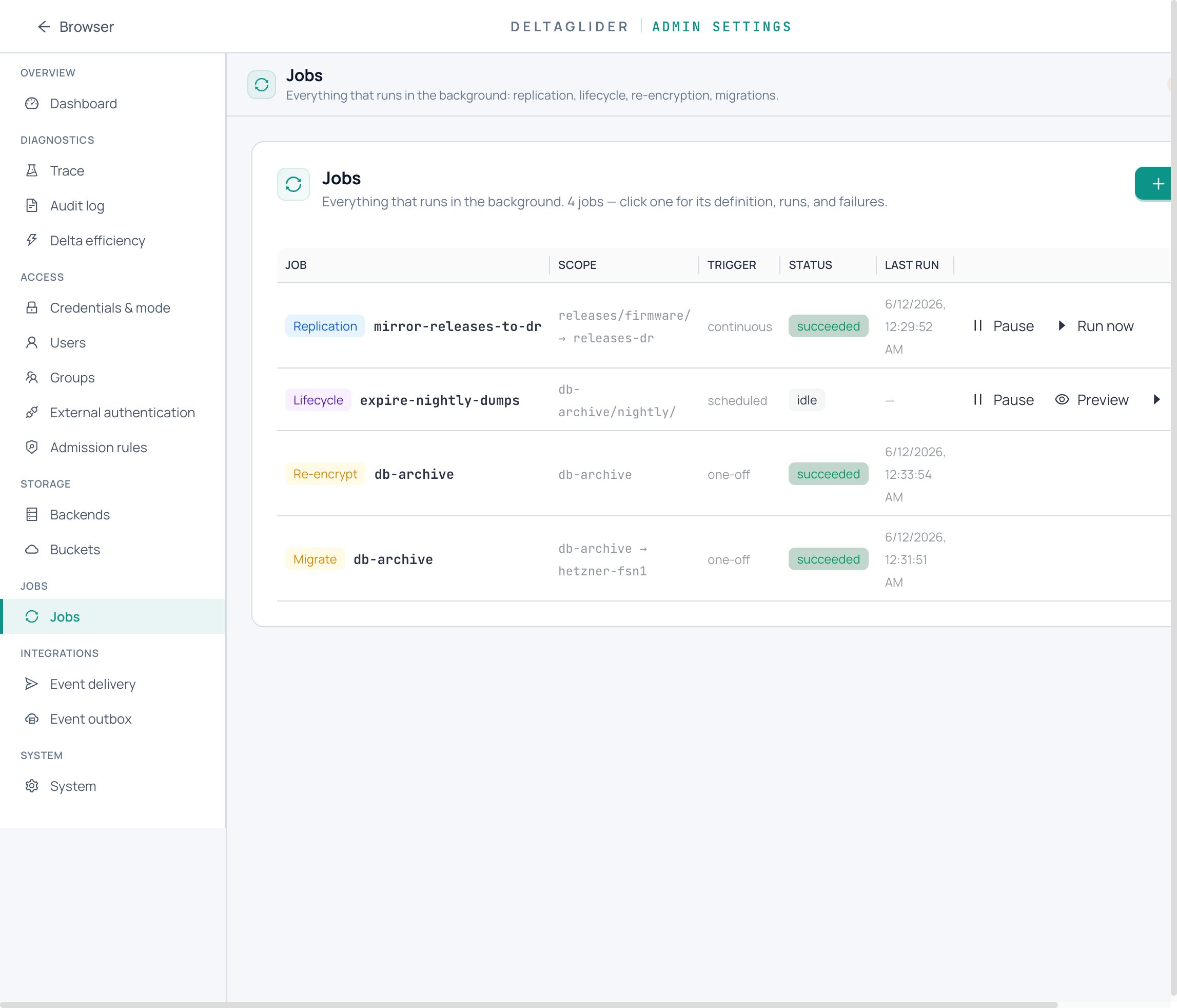
Same data via the API:
curl -b cookies https://s3.acme.example/_/api/admin/jobs
curl -b cookies https://s3.acme.example/_/api/admin/jobs/maintenance:7/failures
If something looks wrong, cancel from the job row (or POST /_/api/admin/jobs/maintenance:7/cancel). A cancel before the routing flip unwinds cleanly, and the source is never deleted on a failed or cancelled run.
A proxy restart mid-job does not orphan the bucket: the job is re-queued on boot and resumes from its cursor (details).
3. Verify#
-
The job row shows
succeededand the bucket row at Settings → Storage → Buckets now shows backendhetzner-fsn1. -
Read an object through the proxy and compare it to a pre-migration checksum:
aws --endpoint-url https://s3.acme.example s3 cp s3://db-archive/nightly/2026-06-10.dump - | sha256sum -
Writes work again:
aws --endpoint-url https://s3.acme.example s3 cp probe.txt s3://db-archive/probe.txt -
Object counts match — list through the proxy and compare against the source backend's own listing.
4. Clean up the source (optional)#
Once verified, delete the old copy yourself — for the example, the db-archive data directory on local-disk. If you'd rather have the job do it, pass "delete_source": true when starting the migration; cleanup then runs only after the flip succeeds.
Related#
- How to route a bucket to a different backend — declare the target backend first.
- How to rotate or change encryption keys — migration is also the zero-shim key-rotation path.
- Jobs reference — the unified jobs API, write gate, and capability matrix.
- Jobs and durability — crash-resume, leases, and the write gate explained.