Guides: storage & data
How to replicate a bucket to another backend
This guide shows you how to mirror a bucket to a second backend with a replication rule. The example mirrors releases to releases-dr on the aws-dr backend. For the full rule grammar and failure semantics, see the replication reference.
1. Create the destination bucket#
Route releases-dr to the backend that should hold the copies:
storage:
  buckets:
    releases-dr:
      backend: aws-dr
2. Define the rule#
Add the rule under storage.replication:
# validate
storage:
  replication:
    enabled: true
    rules:
      - name: mirror-releases-to-dr
        enabled: true
        source:
          bucket: releases
          prefix: ""              # "" = entire bucket
        destination:
          bucket: releases-dr
          prefix: ""
        interval: "24h"           # full-reconcile safety net
        replicate_deletes: false
        conflict: newer-wins
        exclude_globs: [".deltaglider/**"]
From the admin UI: Settings → Jobs — replication rules live in the storage-section editor on the Jobs screen; add the rule and apply.
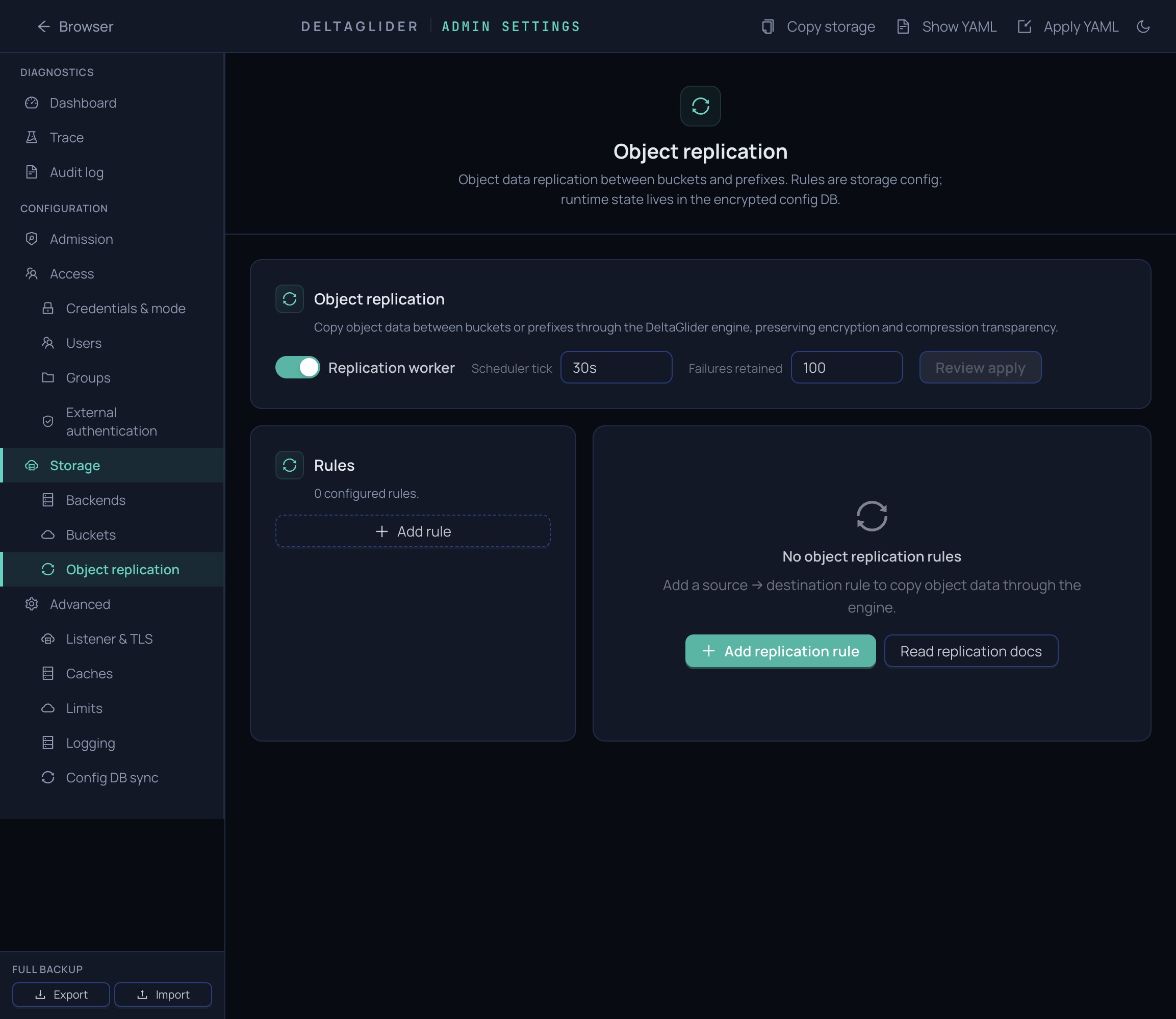
Replication has two triggers: event-driven copies each PUT/DELETE/COPY in near-real time (the primary path), and the rule's interval schedules a periodic full reconcile as the self-healing backstop. You don't choose between them — both run; interval only sets how often the backstop sweeps (details).
Every copy goes through the engine, so each side applies its own encryption and compression — you can replicate from an encrypted backend to a plaintext one and vice versa.
3. Scope what replicates#
- If only part of the bucket matters, set
source.prefix(e.g.firmware/) — or narrow further withinclude_globs: ["firmware/widget-3000/**"]. When includes are set, only matching keys replicate. - If some keys must never leave (scratch files, temp uploads), add them to
exclude_globs— exclude wins over include. Keep.deltaglider/**excluded; it protects the config-sync prefix when a bucket doubles as user data. - If the destination should use a different layout, set
destination.prefix— source keys are re-rooted under it.
Directory markers and storage-layer delta artifacts never replicate; the engine listing filters them before planning (full list).
4. Pick a conflict policy#
- If the destination is write-only DR (nothing else writes to
releases-dr), keep the defaultnewer-wins: copies happen only when the source is strictly newer. - If the destination must stay an exact mirror of the source, even over manual edits on the destination, use
content-diff— it overwrites any object whose bytes differ but skips identical ones (so it converges instead of re-copying everything every sweep). - If you're seeding a bucket once and never overwriting, use
skip-if-dest-exists.
5. Decide on delete replication#
By default, deletes do not propagate — releases-dr keeps objects that vanish from releases. If you want a true mirror, set replicate_deletes: true: the destination becomes a faithful mirror where any object absent at source is removed (a destination object is deleted only after a source HEAD confirms the key is gone). Because it removes anything not present at source — including objects written by other tools or another rule — the destination bucket (releases-dr) must be dedicated to this rule.
6. Run it now#
The first sync doesn't have to wait for events or the interval:
curl -b cookies -X POST \
  https://s3.acme.example/_/api/admin/jobs/replication:mirror-releases-to-dr/run-now
{
  "run_id": 42,
  "status": "succeeded",
  "objects_scanned": 3,
  "objects_copied": 3,
  "objects_skipped": 0,
  "bytes_copied": 15,
  "errors": 0
}
If you get 409 Conflict, the rule is already running (or paused) — check the Jobs screen.
7. Watch it in Jobs#
Settings → Jobs shows the rule as row replication:mirror-releases-to-dr with its status and last run. The drawer's Runs tab lists every execution; Failures lists per-object errors (a few failed objects don't fail the run — the next pass catches them up).
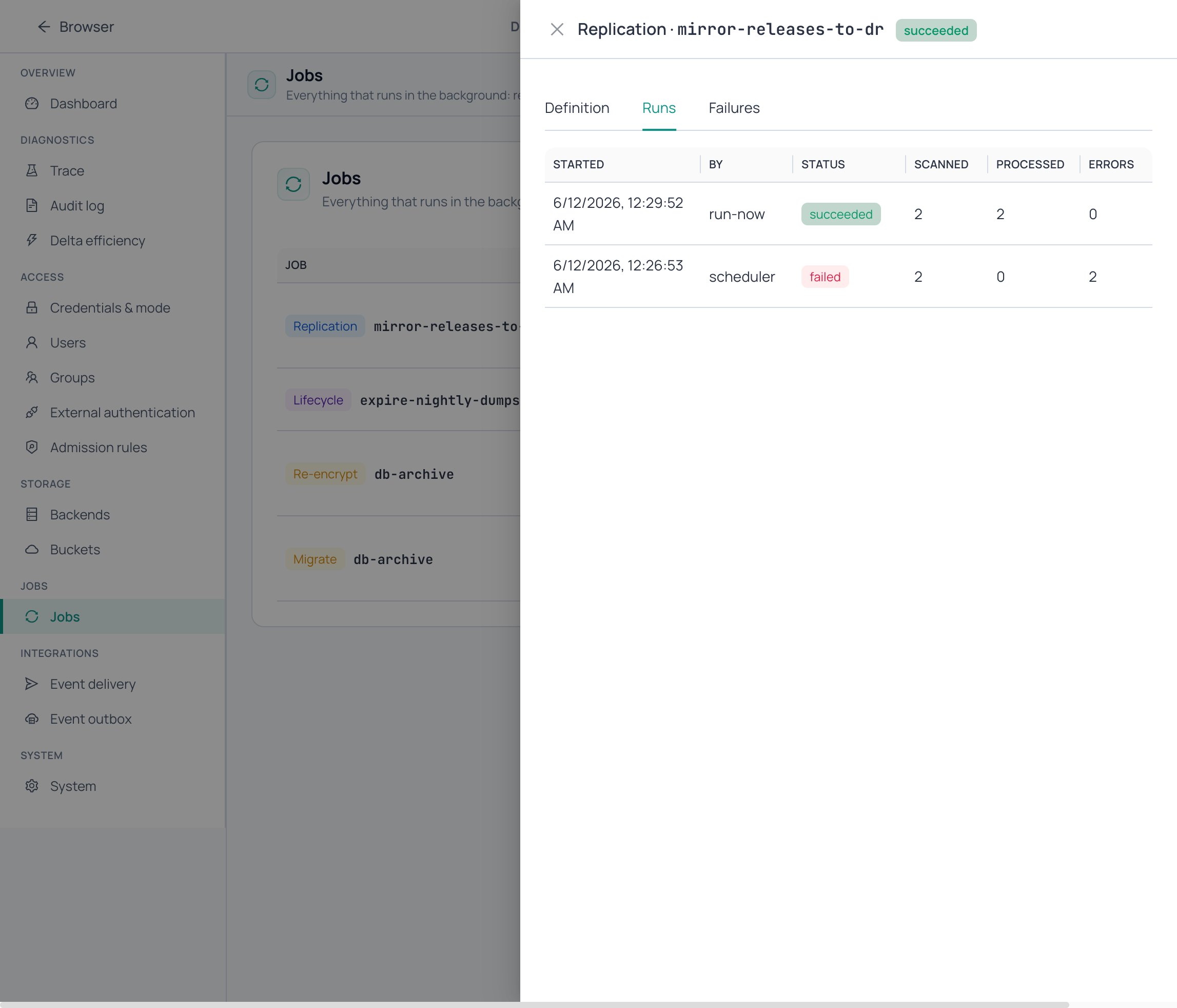
The same data via the API:
curl -b cookies https://s3.acme.example/_/api/admin/jobs/replication:mirror-releases-to-dr/runs?limit=10
curl -b cookies https://s3.acme.example/_/api/admin/jobs/replication:mirror-releases-to-dr/failures
Pause and resume from the job row (or POST …/pause / …/resume); paused rules are skipped by events, the scheduler, and run-now alike, and the pause survives restarts.
Verify#
The Audit button on the rule's Verify tab runs a fast metadata audit: it lists both sides and checks that every source object exists on the destination with matching recorded checksums and sizes. It issues no downloads, so it does not re-read the destination's stored bytes — it proves the two sides agree on recorded metadata, not that the destination reconstructs byte-for-byte. It returns one verdict — Verified in sync, Not fully verified (capped scan or size-only matches), or Differences found — with a guided fix for each finding. For byte-level proof, use the CLI checks below.
-
The destination has the objects:
aws --endpoint-url https://s3.acme.example s3 ls s3://releases-dr/firmware/widget-3000/ -
Content is byte-identical:
aws --endpoint-url https://s3.acme.example s3 cp s3://releases-dr/firmware/widget-3000/fw-2.4.1.tar - | sha256sum -
Near-real-time copy works — upload a new object to
releasesand watch it appear onreleases-drwithin seconds:aws --endpoint-url https://s3.acme.example s3 cp fw-2.4.2.tar s3://releases/firmware/widget-3000/fw-2.4.2.tar aws --endpoint-url https://s3.acme.example s3 ls s3://releases-dr/firmware/widget-3000/ -
The run history shows
succeededwitherrors: 0.
Related#
- How to use non-CAS backends safely — mark the destination
replication_target_onlyto host a mirror on a cheap backend like Backblaze B2. - Replication reference — rule grammar, conflict policies, failure modes, what doesn't replicate.
- Jobs reference — the unified jobs API the rule appears on.
- Event log reference — the event stream that drives near-real-time copies.
- Jobs and durability — why replication is a durable job, not a cron script.
- How to expire and archive objects — age-based moves instead of mirroring.