Guides: storage & data
How to set per-bucket compression and quotas
This guide shows you how to turn delta compression on or off per bucket, tighten the delta-ratio cutoff, and cap a bucket's size with a soft quota.
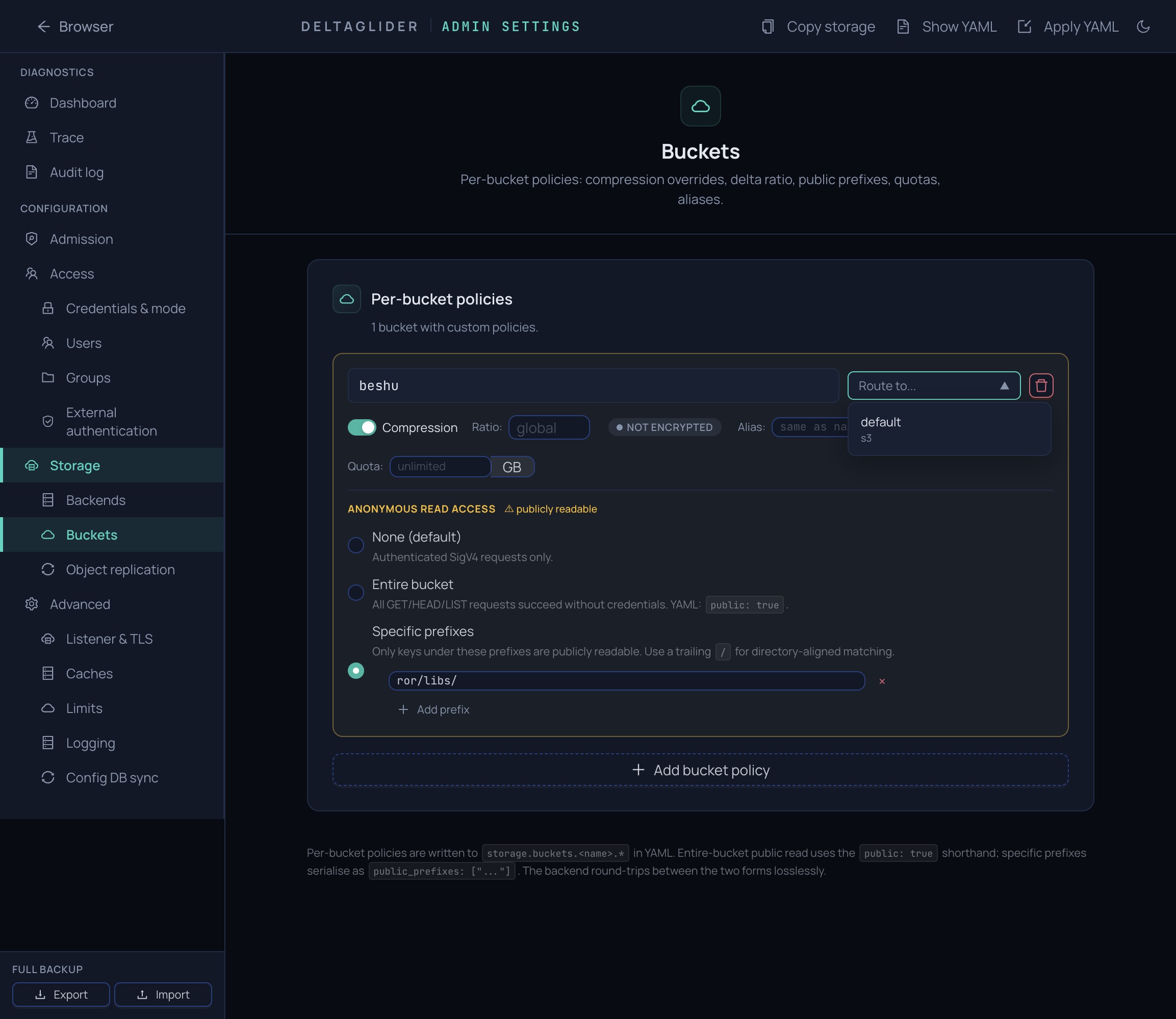
All of these live on the per-bucket policy under storage.buckets. From the admin UI, the same fields are at Settings → Storage → Buckets — expand a bucket's row to edit.
1. Turn compression off for a bucket#
If a bucket holds content that won't delta (images, video, unique-per-upload binaries), disable compression to skip the xdelta3 CPU cost entirely:
storage:
  buckets:
    downloads:
      compression: false    # everything stored passthrough
If you only want a stricter cutoff rather than none, set max_delta_ratio instead — deltas are kept only when delta_size / original_size is below the ratio:
storage:
  buckets:
    releases:
      max_delta_ratio: 0.5  # only keep deltas that save ≥50%
2. Restrict compression to prefixes#
Compression policy is per-bucket, not per-prefix. If you want some prefixes compressed and others not, do one of:
- Split into two buckets with different
compressionsettings (you can alias both onto the same backend). - Rely on
max_delta_ratio: non-compressible files fall back to passthrough automatically when the delta isn't worth keeping — no manual intervention needed.
3. Know what deltas well#
Delta compression pays off when most bytes repeat across stored versions: zipped releases, JARs/APKs, database dumps, tar archives, AI model variants, game builds — 60–95% savings on high-similarity workloads in practice. Whole-stream compressed archives (.tar.gz, .tar.xz, .tar.zst, solid .7z) usually don't delta, because one small change shifts bytes through the rest of the stream; container formats with independently compressed members (.zip, .jar, .docx) usually do. The why is in delta compression.
If you're unsure about your workload, test it directly with two real consecutive versions:
xdelta3 -D -e -s old-artifact new-artifact delta.vcdiff
# compare: stat -c%s delta.vcdiff  vs  stat -c%s new-artifact
Read the ratio against this rule of thumb:
delta / original | Meaning |
|---|---|
<= 0.20 | Excellent |
0.20–0.50 | Good |
0.50–0.80 | Marginal |
> 0.80 | Usually passthrough |
4. Set a soft quota#
Cap a bucket's total size in bytes:
storage:
  buckets:
    db-archive:
      quota_bytes: 536870912000   # 500 GB
What happens at the quota: PUT requests that would exceed it are rejected with 403. The quota is soft — it reads from the usage scanner's 5-minute cache, so a burst of concurrent writes can overshoot by up to 5 minutes of throughput. If you need a strict hard cap, enforce it at the reverse proxy or the storage provider.
5. Freeze a bucket#
If you need a bucket read-only (for example during a manual migration), set the quota to zero:
storage:
  buckets:
    db-archive:
      quota_bytes: 0   # all writes blocked
Reads and lists keep working; every write is rejected.
Verify#
-
The policy applied:
curl -b cookies https://s3.acme.example/_/api/admin/config/section/storage?format=yaml -
Compression behaves as configured — upload two versions of a file and check the
x-amz-storage-typeheader on a HEAD:deltameans compressed,passthroughmeans not. -
The quota bites — on a frozen bucket, a PUT should fail with
403:aws --endpoint-url https://s3.acme.example s3 cp probe.txt s3://db-archive/probe.txt -
Savings show up per bucket on the Metrics page and via the O(1) usage counter —
curl https://s3.acme.example/_/stats?bucket=db-archive(orGET /_/api/admin/usage/bucket/db-archivefor the full counter row). The counter is maintained inline on every write; if it ever drifts, reconcile withPOST /_/api/admin/usage/refresh?bucket=db-archive.
Related#
- Delta compression — how routing, references, and ratios actually work.
- Your first delta savings — watch the ratio on a real upload.
- Configuration reference — all
storage.bucketsfields, includingpublic_prefixesandalias. - How to expire and archive objects — control size by age instead of by cap.