Guides: deploy & operate
How to trace and audit requests
This guide shows you how to find out why the proxy allowed or denied a request — by dry-running a synthetic request through the admission chain, reading the audit log, and turning on debug headers.
1. Check the audit log first#
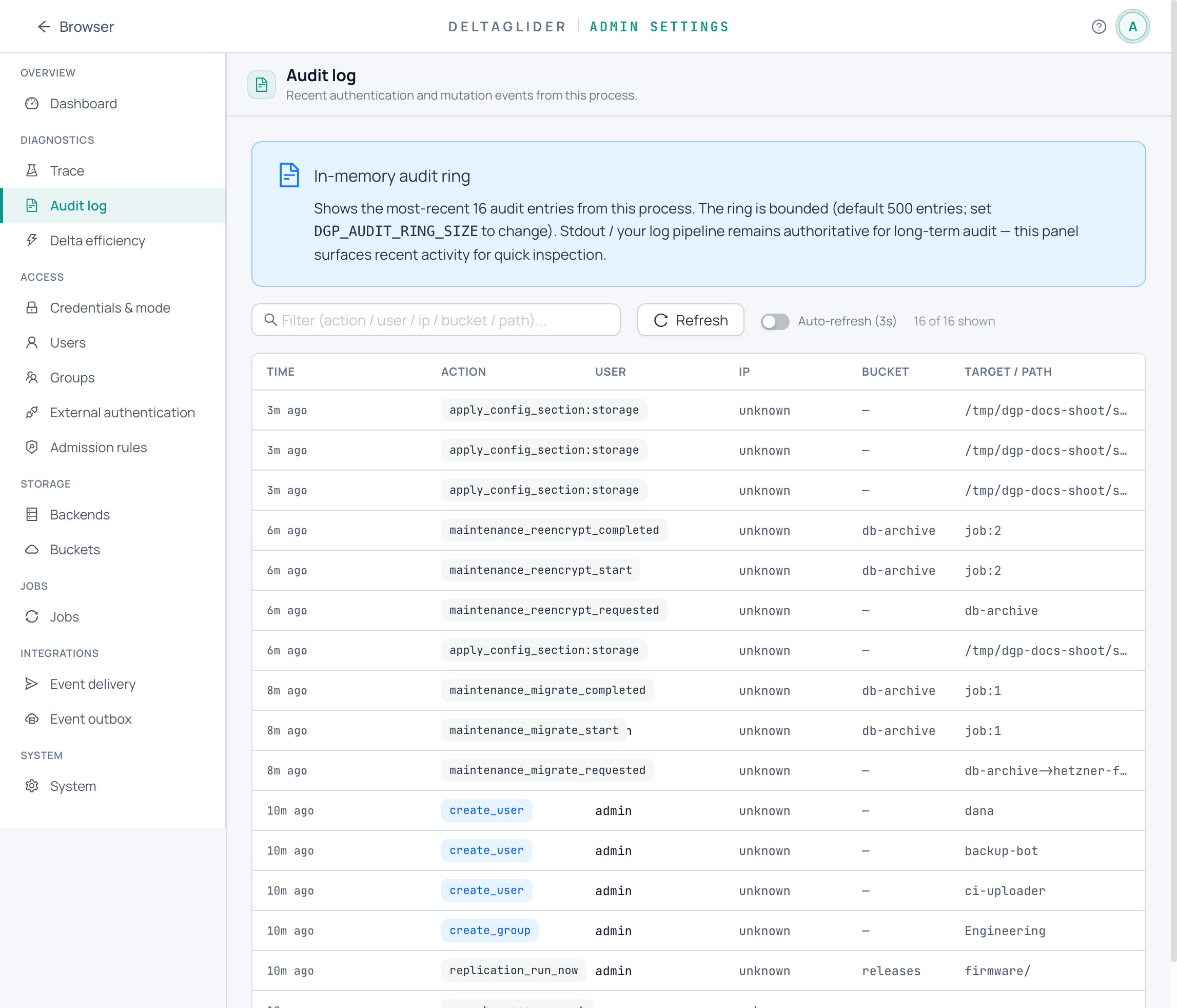
When a client reports a denial, start at Settings → Observability → Audit log (/_/admin/diagnostics/audit). Every IAM denial lands there with the user, action, bucket, and path — usually that's the whole investigation. The same data is available as JSON:
curl -b cookies "https://s3.acme.example/_/api/admin/audit?limit=500"
If the audit log shows nothing for the failing request, the denial happened before IAM — in SigV4 verification or the admission chain. That's what tracing is for.
Know what the ring is: an in-memory buffer (default 500 entries, DGP_AUDIT_RING_SIZE to raise it) that resets to empty on every restart. The persistent audit source is stdout — every audit_log() call also emits a tracing::info! line; ship those into your log pipeline for retention.
2. Trace a synthetic request#
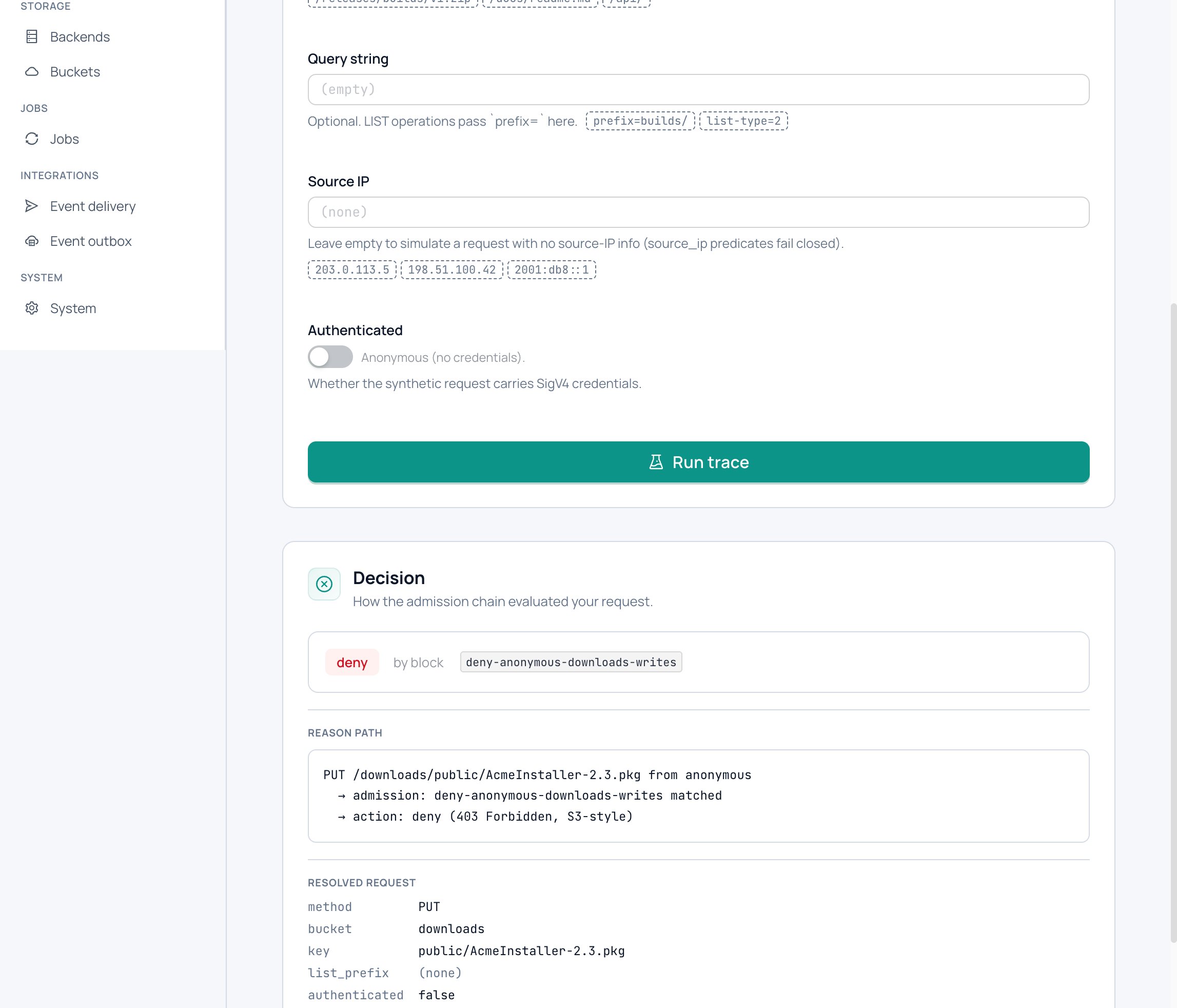
Three equivalent front doors to the same evaluator — none of them touches real data:
Admin UI: Settings → Observability → Rule tester (/_/admin/diagnostics/trace). Enter method, path, and whether the request is authenticated; the panel renders the reason path and offers Copy-as-JSON.
CLI:
DGP_BOOTSTRAP_PASSWORD=... deltaglider_proxy admission trace \
  --method PUT --path /downloads/public/tool.zip \
  --server https://s3.acme.example | jq
Add --authenticated to simulate a signed request, --query for query strings. The password comes from the env var, not a flag — argv is visible in ps.
API: POST /_/api/admin/config/trace with a synthetic request body, or the GET query-param variant for bookmarkable trace URLs:
curl -b cookies "https://s3.acme.example/_/api/admin/config/trace?method=PUT&path=/downloads/public/tool.zip"
3. Read the reason path#
The trace output is a decision plus the chain that produced it: the decision tag (allow / allow-anonymous / deny / reject), the matched block by name, and the resolved request as the evaluator saw it. Admission is first-match-wins, so the named block is the complete answer — nothing after it was consulted.
Worked example — downloads has a public prefix:
storage:
  buckets:
    downloads:
      public_prefixes:
        - public/
- Trace
GET /downloads/public/tool.zip, unauthenticated → allow-anonymous, matched blockpublic-prefix:downloads/public/— the block synthesized from the bucket policy, granting read+list only. - Trace
PUT /downloads/public/tool.zip, unauthenticated → denied. The public-prefix block matches only read methods, so the PUT falls through to authentication, which an anonymous request fails.
Same prefix, opposite outcomes — and the trace names the exact block responsible for each.
4. Turn on debug headers#
For per-request visibility on real traffic, set DGP_DEBUG_HEADERS=true and read the response headers:
x-amz-storage-type— how the object is stored:delta,passthrough, orreference.x-deltaglider-cache: hit|miss— on every delta-reconstructed GET; tells you whether the reference baseline came from the cache.
Leave this off in production once you're done — it reveals storage internals to anyone who can send a request.
Verify#
# Trace agrees with reality: this should print an allow-anonymous decision...
DGP_BOOTSTRAP_PASSWORD=... deltaglider_proxy admission trace \
  --method GET --path /downloads/public/tool.zip --server https://s3.acme.example | jq .decision

# ...and the real request behaves the same way
curl -s -o /dev/null -w "%{http_code}\n" https://s3.acme.example/downloads/public/tool.zip
Then make one failing authenticated request on purpose and confirm it appears in the audit log within seconds.
Related#
- Troubleshooting — symptom-indexed fixes once you know which layer denied
- Security model — admission → SigV4 → IAM, in order
- Admin API reference — trace and audit endpoints
- CLI reference —
admission traceflags and exit codes