Reference
Authentication and access
Reference for the proxy's authentication modes, the bootstrap password, SigV4 verification, backend credentials, client configuration, anonymous access, and error responses.
Authentication modes#
| Mode | Activated by | What is verified |
|---|---|---|
| Bootstrap | A single credential pair in access.access_key_id / access.secret_access_key (env: DGP_ACCESS_KEY_ID / DGP_SECRET_ACCESS_KEY). Default on a fresh install. | SigV4 signature against the shared secret. Admin GUI access requires the bootstrap password. |
| IAM | One or more IAM users in the encrypted config DB (deltaglider_config.db). Activates when the first user is created — via admin GUI, declarative YAML, or OAuth auto-provisioning. | SigV4 signature against the per-user secret looked up by access key ID, then ABAC permission evaluation. Admin GUI access is permission-based. |
| OAuth/OIDC | A configured provider (Google or any OIDC-compliant issuer). | The provider's JWT: algorithm from header, audience, issuer, nonce; the flow uses PKCE and a state parameter. Applies to browser sessions only — the S3 API remains SigV4. Logged-in users are provisioned as IAM users; permissions come from group mapping rules. |
| Open access | access.authentication: none (env: DGP_AUTHENTICATION=none). | Nothing. No SigV4 verification. Development only. |
The proxy refuses to start without authentication credentials unless authentication: none is set explicitly. Bootstrap and IAM coexist: the request's access key is tried against both the bootstrap pair and the IAM table. When the first IAM user is created, the bootstrap credentials are carried over as a legacy-admin user.
# validate
access:
  access_key_id: dgp-shared-key
  secret_access_key: dgp-shared-secret
The orthogonal access.iam_mode selector (gui, default, or declarative) controls where IAM state lives — the encrypted DB or the YAML file. In declarative mode, admin-API IAM mutation routes return 403 { "error": "iam_declarative" } and the YAML is reconciled into the DB on every config apply. See Declarative IAM.
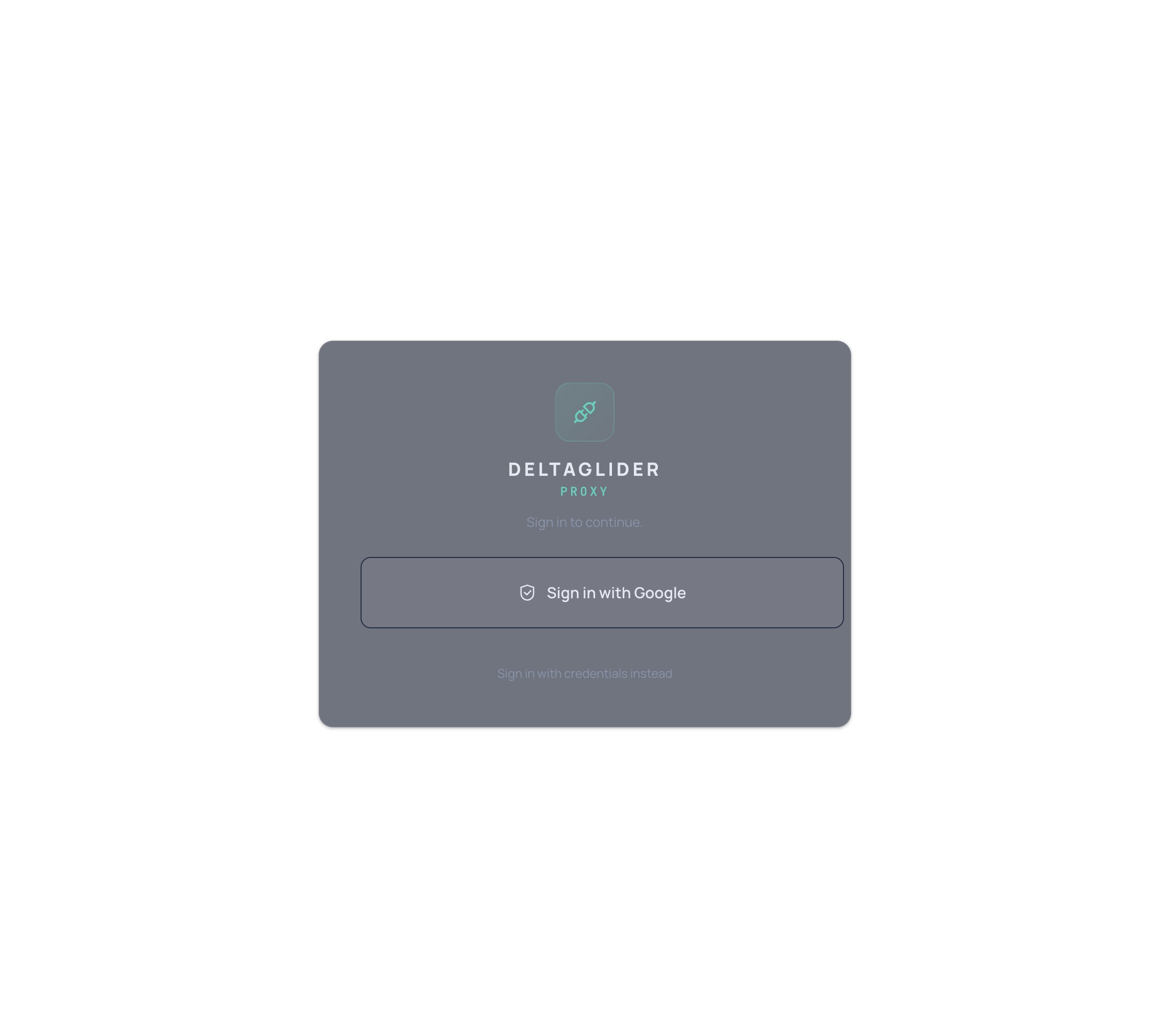
OAuth providers appear as buttons on the /_/ login page:
Bootstrap password#
One infrastructure secret with three roles:
| Role | Mechanism |
|---|---|
| Encrypts the config database | IAM users, OAuth providers, and group mapping rules are stored in SQLCipher, keyed by this password |
| Signs admin session cookies | HMAC-based session authentication for the admin GUI |
| Gates admin GUI access | Required to open settings in bootstrap mode (before IAM users exist) |
Generation and reset facts:
- Auto-generated on first run when not set. The plaintext is printed to stderr only when stderr is a TTY; in containers/CI only the bcrypt hash is logged. The hash is saved to
.deltaglider_bootstrap_hash. - Set explicitly via
DGP_BOOTSTRAP_PASSWORD_HASH(bcrypt, or base64-encoded bcrypt to avoid$escaping in Docker). YAML:advanced.bootstrap_password_hash. Legacy alias:DGP_ADMIN_PASSWORD_HASH. - Reset via the
--set-bootstrap-passwordCLI flag (reads the new plaintext from stdin). Resetting invalidates the encrypted IAM database — all IAM users, OAuth providers, and group mappings are lost. - Rotation without data loss:
PUT /_/api/admin/passwordverifies the current password and re-encrypts the DB atomically.
SigV4 verification#
The proxy verifies SigV4 signatures from two sources:
| Path | Source | Use |
|---|---|---|
| Header auth | Authorization: AWS4-HMAC-SHA256 ... | Standard S3 SDK calls |
| Presigned URL | X-Amz-Algorithm + X-Amz-Signature query parameters | Browser downloads, shareable links |
Both paths extract the access key ID, resolve the user (bootstrap pair or IAM lookup), and verify the HMAC-SHA256 signature against the secret key using constant-time comparison. Any region is accepted in the credential scope. Presigned URLs expire after at most 7 days (604,800 s) and carry the signing user's permissions — Deny rules apply to presigned requests too.
Verify, then re-sign#
SigV4 signatures are bound to the Host header and URI path, so the client's signature cannot be forwarded. The proxy verifies it, discards it, and issues its own authenticated requests to the backend using the backend credentials via the AWS SDK.
Replay detection#
Verified signatures are cached; a duplicate signature within the replay window (DGP_REPLAY_WINDOW_SECS, default 2 s, 0 disables) is rejected with 400 when the request is mutating (PUT/POST/DELETE) and served normally when it is an idempotent read (GET/HEAD). Replay rejections do not count toward the auth-failure lockout. Clock-skew tolerance is a separate check (DGP_CLOCK_SKEW_SECONDS, default 300 s). Full table: Rate limits and concurrency.
Backend credentials#
Two independent credential sets exist: client-to-proxy credentials (above) and proxy-to-backend credentials. For an S3 backend:
export DGP_BE_AWS_ACCESS_KEY_ID=hetzner-backend-key
export DGP_BE_AWS_SECRET_ACCESS_KEY=hetzner-backend-secret
export DGP_S3_ENDPOINT=https://fsn1.your-objectstorage.com
YAML equivalents are storage.access_key_id / storage.secret_access_key (shorthand) or storage.backend.* (canonical). With multiple named backends (for example hetzner-fsn1, aws-dr), each entry in storage.backends[] carries its own access_key_id / secret_access_key. Filesystem backends such as local-disk require no credentials. See Configuration for the full field table.
Client configuration#
Any SigV4 client (aws CLI, boto3, Terraform, rclone, Cyberduck) works against the proxy with an endpoint override and proxy credentials.
aws CLI:
export AWS_ACCESS_KEY_ID=ci-uploader-key
export AWS_SECRET_ACCESS_KEY=ci-uploader-secret
export AWS_ENDPOINT_URL=http://localhost:9000

aws s3 cp fw-2.4.0.tar s3://releases/firmware/widget-3000/fw-2.4.0.tar
aws s3 ls s3://releases/firmware/widget-3000/
aws s3 presign s3://releases/firmware/widget-3000/fw-2.4.0.tar --expires-in 3600
boto3:
import boto3

s3 = boto3.client(
    "s3",
    endpoint_url="https://s3.acme.example",
    aws_access_key_id="ci-uploader-key",
    aws_secret_access_key="ci-uploader-secret",
    region_name="us-east-1",
)

s3.upload_file("dump.sql.gz", "db-archive", "nightly/dump.sql.gz")
Public prefixes#
Per-bucket configuration grants anonymous read-only access to specific prefixes:
storage:
  buckets:
    downloads:
      public_prefixes: ["public/"]
    docs-site:
      public: true        # shorthand for public_prefixes: [""]
Semantics for requests without credentials:
- Allowed: GET and HEAD on objects under a public prefix; LIST with a
prefixparameter inside the public prefix. LIST results are scoped to the public prefix — never the whole bucket. - Denied: PUT, DELETE, COPY, and multipart uploads, always.
- Identity: anonymous requests run as a synthesized
$anonymoususer with scoped read+list permissions (includings3:prefixconditions for LIST). All anonymous access is audit-logged asuser=$anonymous. - Credentials win: a request carrying valid SigV4 credentials gets full IAM evaluation regardless of public-prefix configuration.
- Matching: a trailing
/is significant —public/matchespublic/...but notpublicity/. The empty prefix""makes the entire bucket public (logged as a startup warning). Prefixes containing.., null bytes, or//are rejected.
Public prefixes are synthesized into admission blocks named public-prefix:*, evaluated after any operator-authored admission.blocks[] (see Configuration).
Error responses#
S3-path errors are returned as standard S3 XML error documents:
| Error code | HTTP status | Cause |
|---|---|---|
AccessDenied | 403 | No credentials on a non-public path (anonymous), or valid credentials without a matching Allow / with a matching Deny (denied) — the response shape is identical in both cases |
SignatureDoesNotMatch | 403 | Signature verification failed |
RequestTimeTooSkewed | 403 | Request timestamp outside the clock-skew tolerance |
InvalidArgument | 400 | Malformed Authorization header, unparseable date/expiry, or replayed mutating signature |
SlowDown | 429 | Per-IP auth rate limit exceeded |
Admin-API errors are JSON, not XML: IAM mutations in declarative mode return 403 { "error": "iam_declarative" }; admin endpoints without an AdminGui session return 403 { "error": "admin_session_required" }.