Guides: deploy & operate
How to diagnose a backend that isn't servingHow to diagnose a backend that isn't serving
On this page
Follow this when a bucket answers 503 ServiceUnavailable, the Backends panel shows a red health badge, or a boot log says a backend is UNHEALTHY. The proxy probes every configured backend's connectivity and credentials at boot, on every config change to a backend, and every 30 seconds after that (healthy backends too). A request that finds a backend unavailable starts a probe of that backend at once. The proxy marks the backend unhealthy only when that probe fails too. Because of this, a broken backend always reports its name and its cause.
Read the verdict#
In the sidebar of the admin UI, open Storage → Backends (/_/admin/storage/backends). Each backend card carries a live health badge next to the name of the backend:
| Badge | Meaning | Fix |
|---|---|---|
| Connected | An authenticated request succeeded. | Nothing to do. |
| CREDENTIALS REJECTED | The backend answered and refused the access key or the secret. | Check access_key_id and secret_access_key: a typo, a rotated key, or an unset ${env:...} variable. |
| UNREACHABLE | The probe could not connect (DNS, a refused connection, TLS, or the connect timeout), or the backend accepted the connection but did not answer within the request deadline twice in a row. | Check endpoint, the network egress and the firewall, then the status page of the provider. |
| ERRORING | The backend is reachable, but it answers with 5xx errors. | The provider is degraded. Wait, or check the status page of the provider. The proxy does not block requests in this state, because the backend still serves some of them. Only CREDENTIALS REJECTED and UNREACHABLE block requests. |
When the badge is not Connected, the card also shows an alert with the cause: Backend unavailable for the two states that block requests, and Backend degraded for ERRORING. The same cause string appears in the ERROR line of the boot log, in the body of the 503 that clients receive, and in a rejected config apply, so these places always agree.
Force a probe now#
Click Test connection on the backend card. The server runs the probe with its own credentials, endpoint and network, and the card shows the result below the buttons. A green result means that the proxy itself can serve from this backend, which proves more than a browser that can reach the endpoint. The same probe is POST /_/api/admin/backends/<name>/probe.
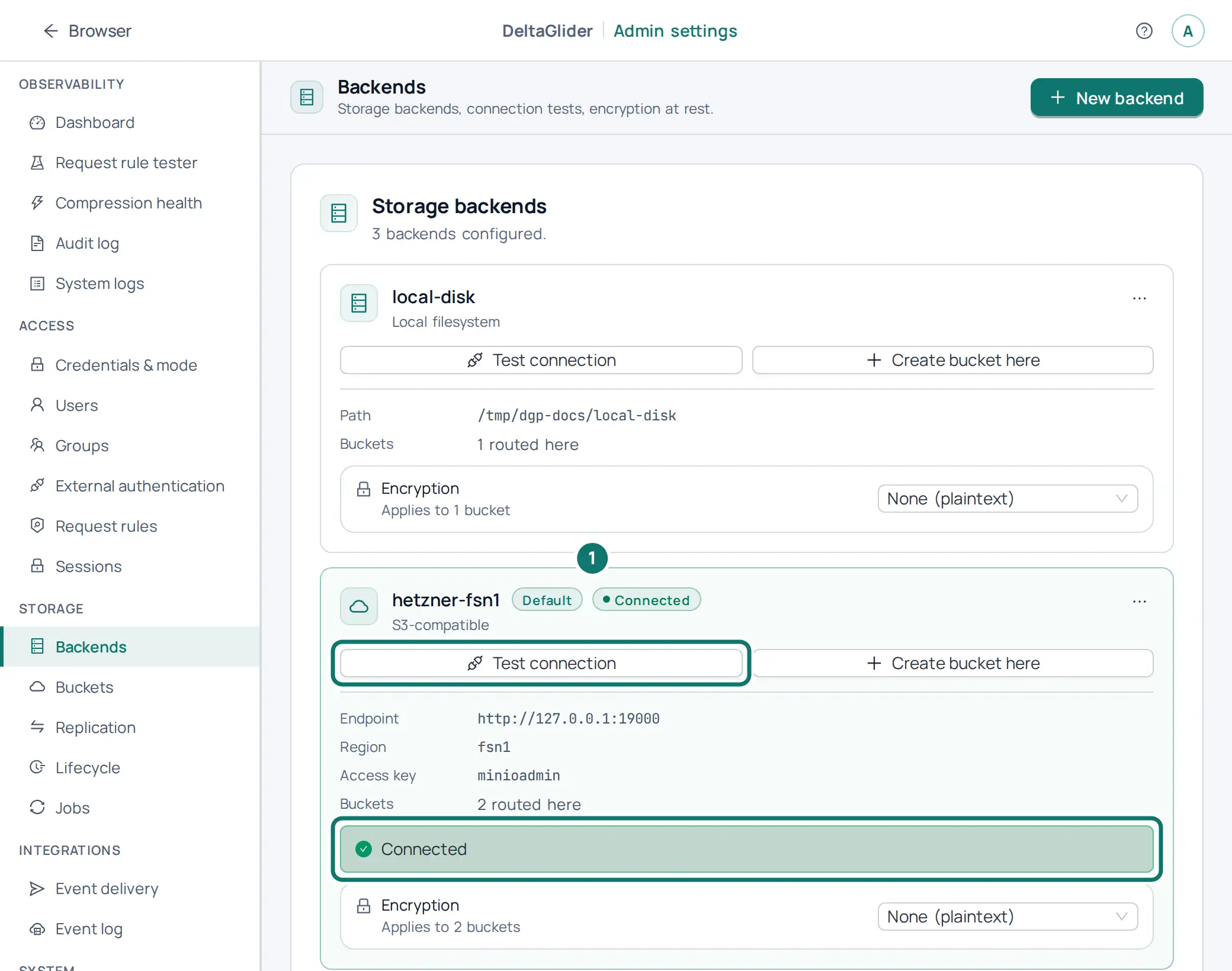
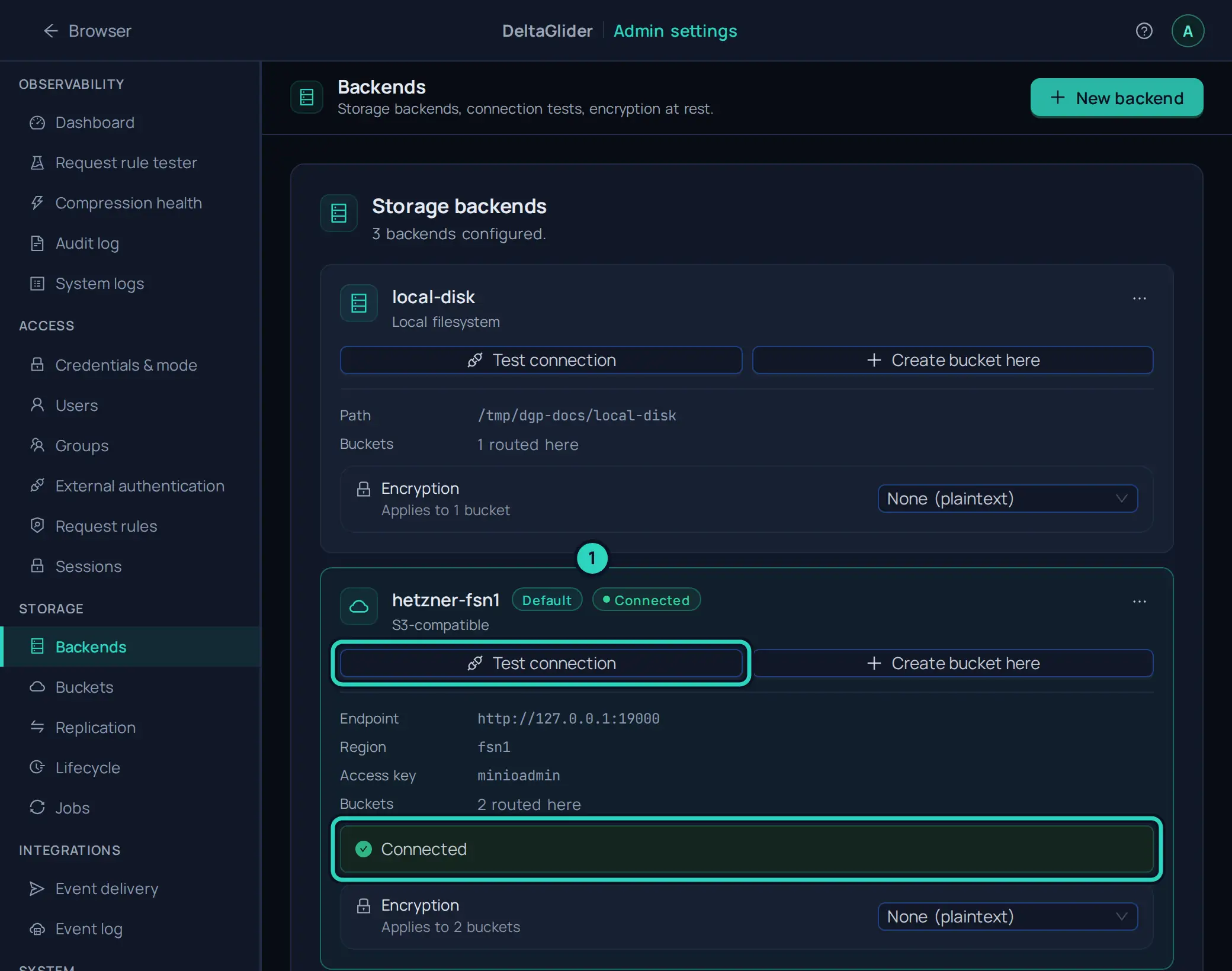
Buckets that an unhealthy verdict blocks reopen by themselves within about 30 seconds of the recovery, and Test connection reopens them at once.
What happens while a backend is down#
- Every request to a bucket routed to it gets a fast
503 ServiceUnavailablethat names the backend and the cause. Requests do not wait for timeouts, clients do not get misleading404s, and the file browser shows the fault instead of an empty bucket. - Buckets on healthy backends are unaffected.
- The proxy probes every backend every 30 seconds (
DGP_BACKEND_HEALTH_INTERVAL_SECS) and logs the recovery.
What happens when a backend hangs#
A backend can accept connections and then never answer, for example when its process is paused. The proxy does not wait for such a backend for minutes. Each backend request that carries no large body (HEAD, GET until the first byte, LIST, DELETE) has a deadline of 30 seconds, retries included (DGP_BACKEND_REQUEST_TIMEOUT_SECS). An upload (PutObject, UploadPart) has the same deadline plus one second for each MiB of its body. When the deadline passes, the client gets 503 ServiceUnavailable with the backend's name, and the proxy probes the backend at once.
The probe measures whether the backend can be reached, not how fast it answers. It sends a HeadBucket request for a bucket that is routed to the backend, or a ListBuckets request when no bucket is routed to it, and it waits as long as a data request does (DGP_BACKEND_REQUEST_TIMEOUT_SECS). The probe uses one long-lived connection for each backend definition, so a probe does not pay a new TLS handshake. Three kinds of result block the buckets of the backend: the probe could not connect at all (DNS, a refused connection, TLS, or the connect timeout), the backend refused the credentials, or the backend did not answer within the request deadline twice in a row. In the last case the backend accepts connections but hangs, so every request to it would wait the full deadline and then fail. A backend that answers within the deadline, even slowly or with a 5xx error, is reachable: its buckets stay open, and a 5xx shows the badge ERRORING. A probe attempt that fails fast or gets no answer is tried once more before the proxy decides.
When the probe cannot connect, or the backend hangs, the proxy marks the backend Unreachable, and the next requests to the backend's buckets get the 503 immediately, without a wait. When the probe gets an answer, the buckets stay open, because one slow request among many does not prove that the backend is down. The proxy then logs one warning that names the failed request. The health probe also finds a dead backend on its own, because it probes healthy backends too. When the backend answers a probe again, its buckets reopen. GET /_/ready lists each backend's live state in its backends field.
When a backend is slow#
A backend can answer every request and still answer slowly. The proxy times every S3 request that it sends, and a request that takes 5 seconds or longer (DGP_BACKEND_SLOW_REQUEST_SECS, plus one second for each MiB of an upload's body) logs one WARN line slow backend request. The line names the backend, the S3 operation, the bucket and the key, and it splits the time: the number of attempts and the status of each one, and the time before the first attempt was sent. A request that waited in the S3 client's rate limiter after earlier 503 SlowDown answers has a large before_first_attempt_secs. A request that the client retried has several attempts. A request that the backend answered slowly has one attempt and a small wait. The histogram deltaglider_backend_request_duration_seconds on /_/metrics shows the same times for every request, by backend and operation. See Metrics for each field of the line.
Boot behaviour#
At startup the proxy probes every configured backend (the default plus each entry in storage.backends):
- If some backends fail, the proxy starts degraded. It logs one ERROR line per failed backend, and the buckets of those backends answer with 503s.
- If all backends fail, the proxy refuses to start (exit code 1), because a proxy with no working storage can only serve errors.
# Relax the gate if you must boot against a temporarily-dark backend:
DGP_BOOT_BACKEND_PROBE=warn   # probe + log, never exit
DGP_BOOT_BACKEND_PROBE=off    # skip probing entirely
The probe handles scoped keys. A key restricted to one bucket (e.g. a Backblaze B2 application key) legitimately cannot list buckets, so the probe sends a HeadBucket on a bucket routed to that backend. The answer to a HeadBucket has no body, so a 403 cannot say why the backend refused the request. After a 403, the probe therefore sends a ListBuckets request: only an error code that names bad credentials (for example InvalidAccessKeyId or SignatureDoesNotMatch) marks the credentials as rejected. A plain AccessDenied is not proof of bad credentials, so the backend stays open.
Config changes are probed too#
When you apply a config that changes a backend's definition (endpoint, credentials), the proxy runs the probe first. A failing probe rejects the apply with the cause, and nothing changes:
config refused: backend 'aws-dr' failed its connection probe — credentials
rejected (status=403 code=InvalidAccessKeyId) — check access_key_id /
secret_access_key. Fix the endpoint/credentials and re-apply (nothing was changed)
Two related states are fatal config errors, which the proxy refuses at boot and on every apply: a bucket routed to a backend name that doesn't exist, and duplicate backend names.
Verify#
-
Check the live state of every backend.
GET /_/readyneeds no authentication, and itsbackendsfield maps each backend name tohealthy,unreachable,auth-rejectedorerroring:curl -s https://s3.acme.example/_/ready # {"status":"ready","backend":"ready","config_db":"ready","jobs_db":"ready","backends":{"aws-dr":"healthy","hetzner-fsn1":"healthy","local-disk":"healthy"}} -
Check that a bucket on the repaired backend serves again. A list request must succeed instead of answering
503:aws --endpoint-url https://s3.acme.example s3 ls s3://releases/ -
In the proxy log, check for the recovery line of the backend after the next probe.
Related#
- Backend capability validation: the other backend check, for conditional-write (CAS) support in multi-instance deployments.
- Route a bucket to a backend
- Configuration reference:
DGP_BOOT_BACKEND_PROBE,DGP_BACKEND_SLOW_REQUEST_SECS. - Admin API reference: the probe endpoint and
GET /_/ready.