Guides: deploy & operate
How to monitor with Prometheus and GrafanaHow to monitor with Prometheus and Grafana
On this page
This guide shows you how to scrape DeltaGlider Proxy with Prometheus, build the most useful Grafana panels, and install the alert rules that should page you. The full metrics catalog lives in the metrics reference.
Two endpoints answer monitoring systems that have no S3 credentials: GET /_/health (status + cache/RSS gauges) and GET /_/metrics (Prometheus text format; when DGP_METRICS_BEARER_TOKEN is set, the scraper must send that token). GET /_/stats (aggregate storage stats, 10s server-side cache) is different: it reveals the size of every bucket, so it answers only an admin session and returns 401 to anyone else. The version is intentionally not in /_/health, so that anonymous clients cannot fingerprint the release. the authenticated GET /_/api/whoami returns it.
1. Configure the scrape#
# not-proxy-config: prometheus
# prometheus.yml
scrape_configs:
  - job_name: deltaglider
    metrics_path: /_/metrics
    scrape_interval: 15s
    static_configs:
      - targets: ["s3.acme.example:9000"]
For multiple instances, use service discovery or list each target directly:
# not-proxy-config: prometheus
scrape_configs:
  - job_name: deltaglider
    metrics_path: /_/metrics
    scrape_interval: 15s
    static_configs:
      - targets:
          - "dgp-1:9000"
          - "dgp-2:9000"
          - "dgp-3:9000"
The /_/metrics endpoint is exempt from SigV4 auth, so Prometheus doesn't need credentials. Bare /metrics is part of the S3-compatible namespace, so do not scrape it.
If the proxy is reachable from the internet, you can stop anonymous clients from reading the metric set (which identifies the release) by setting DGP_METRICS_BEARER_TOKEN on the proxy and giving Prometheus the same token. The token exists only as an environment variable: the YAML file and the admin UI cannot set it.
# not-proxy-config: prometheus
scrape_configs:
  - job_name: deltaglider
    metrics_path: /_/metrics
    authorization:
      credentials: "the-same-long-random-token"
    static_configs:
      - targets: ["s3.acme.example:9000"]
With the token set, a request without it receives 401. The admin dashboard keeps working because it presents its session instead of the token.
If you don't have a Prometheus + Grafana stack yet, this starter compose gets you one:
# not-proxy-config: docker-compose
services:
  prometheus:
    image: prom/prometheus:latest
    volumes:
      - ./prometheus.yml:/etc/prometheus/prometheus.yml
    ports:
      - "9090:9090"

  grafana:
    image: grafana/grafana:latest
    ports:
      - "3000:3000"
    environment:
      - GF_SECURITY_ADMIN_PASSWORD=admin
    volumes:
      - grafana-data:/var/lib/grafana

volumes:
  grafana-data:
Run docker compose up -d, open http://localhost:3000 (admin/admin), add Prometheus as a data source at http://prometheus:9090, then import the panels below.
2. Build the dashboard panels#
Request rate by operation: a stacked time series that shows which S3 operations dominate:
sum by (operation) (rate(deltaglider_http_requests_total[5m]))
Latency p50 / p95 / p99: three queries on one panel, in seconds:
histogram_quantile(0.50, sum by (le) (rate(deltaglider_http_request_duration_seconds_bucket[5m])))
histogram_quantile(0.95, sum by (le) (rate(deltaglider_http_request_duration_seconds_bucket[5m])))
histogram_quantile(0.99, sum by (le) (rate(deltaglider_http_request_duration_seconds_bucket[5m])))
Latency by operation (p95): shows slow operations. GET (delta decode) and HEAD (cache read) have very different profiles:
histogram_quantile(0.95, sum by (le, operation) (rate(deltaglider_http_request_duration_seconds_bucket[5m])))
Error rate: a stat panel, unit percent (0 to 1):
sum(rate(deltaglider_http_requests_total{status=~"5.."}[5m]))
  /
sum(rate(deltaglider_http_requests_total[5m]))
Delta compression effectiveness:
# Bytes saved per second
rate(deltaglider_delta_bytes_saved_total[5m])

# Cumulative bytes saved
deltaglider_delta_bytes_saved_total

# p50 compression ratio (lower is better; 0.1 = 90% saved)
histogram_quantile(0.50, rate(deltaglider_delta_compression_ratio_bucket[1h]))
Storage decisions mix: a pie chart of the split between delta, passthrough, and reference:
sum by (decision) (rate(deltaglider_delta_decisions_total[5m]))
Cache hit ratio: a gauge, with a target above 90%:
rate(deltaglider_cache_hits_total[5m])
  /
(rate(deltaglider_cache_hits_total[5m]) + rate(deltaglider_cache_misses_total[5m]))
Cache headroom: compare cache_size_bytes against DGP_CACHE_MB * 1048576:
deltaglider_cache_size_bytes
deltaglider_cache_entries
Codec pressure: a gauge. At 0, all xdelta3 permits are in use and encodes and decodes wait in a queue (raise DGP_CODEC_CONCURRENCY):
deltaglider_codec_semaphore_available
Encode + decode latency (p95):
histogram_quantile(0.95, rate(deltaglider_delta_encode_duration_seconds_bucket[5m]))
histogram_quantile(0.95, rate(deltaglider_delta_decode_duration_seconds_bucket[5m]))
Auth failure rate: a spike in signature_rejected means a client misconfiguration or a guessed secret. A spike in missing_header means unauthenticated probes:
sum by (reason) (rate(deltaglider_auth_failures_total[5m]))
Uptime:
time() - process_start_time_seconds
Runtime scheduling: only in a binary built with RUSTFLAGS="--cfg tokio_unstable". The series deltaglider_tokio_schedule_latency_range_total{range} counts how long ready tasks wait for a worker thread. The share of wake-ups in the last range (900 microseconds and more) should stay near zero:
sum(rate(deltaglider_tokio_schedule_latency_range_total{range=~"900.*"}[5m]))
  /
sum(rate(deltaglider_tokio_schedule_latency_range_total[5m]))
The metrics reference explains how to read this series together with the poll-time series.
3. Install the alerting rules#
Drop these into your Prometheus rules.yml. Tune thresholds to your SLO. The DeltaGliderConfigSyncUnhealthy rule matters only when several instances share a config_sync_bucket: the gauge is always 1 without one. It waits longer than one sync poll (5 minutes), because the other instances do not receive the IAM changes of an instance whose sync fails.
# not-proxy-config: prometheus rules
groups:
  - name: deltaglider
    rules:
      - alert: DeltaGliderHighErrorRate
        expr: >
          sum(rate(deltaglider_http_requests_total{status=~"5.."}[5m]))
          / sum(rate(deltaglider_http_requests_total[5m])) > 0.05
        for: 5m
        labels: { severity: warning }
        annotations:
          summary: "DeltaGlider error rate above 5%"

      - alert: DeltaGliderSlowRequests
        expr: >
          histogram_quantile(0.95,
            sum by (le) (rate(deltaglider_http_request_duration_seconds_bucket[5m]))
          ) > 2
        for: 10m
        labels: { severity: warning }
        annotations:
          summary: "DeltaGlider p95 latency above 2s"

      - alert: DeltaGliderLowCacheHitRatio
        expr: >
          rate(deltaglider_cache_hits_total[15m])
          / (rate(deltaglider_cache_hits_total[15m]) + rate(deltaglider_cache_misses_total[15m]))
          < 0.5
        for: 15m
        labels: { severity: warning }
        annotations:
          summary: "Reference cache hit ratio < 50% — consider raising DGP_CACHE_MB"

      - alert: DeltaGliderCodecSaturated
        expr: deltaglider_codec_semaphore_available == 0
        for: 5m
        labels: { severity: warning }
        annotations:
          summary: "All codec slots busy for 5+ minutes — consider raising DGP_CODEC_CONCURRENCY"

      - alert: DeltaGliderAuthFailureSpike
        expr: sum(rate(deltaglider_auth_failures_total[5m])) > 1
        for: 5m
        labels: { severity: warning }
        annotations:
          summary: "Sustained auth failures (> 1/s for 5 min)"

      - alert: DeltaGliderConfigSyncUnhealthy
        expr: deltaglider_config_sync_healthy == 0
        for: 10m
        labels: { severity: warning }
        annotations:
          summary: "Config DB sync failing: GET /_/api/admin/config/sync shows why"

      - alert: DeltaGliderDown
        expr: up{job="deltaglider"} == 0
        for: 2m
        labels: { severity: critical }
        annotations:
          summary: "DeltaGlider instance unreachable"
The built-in admin dashboard#
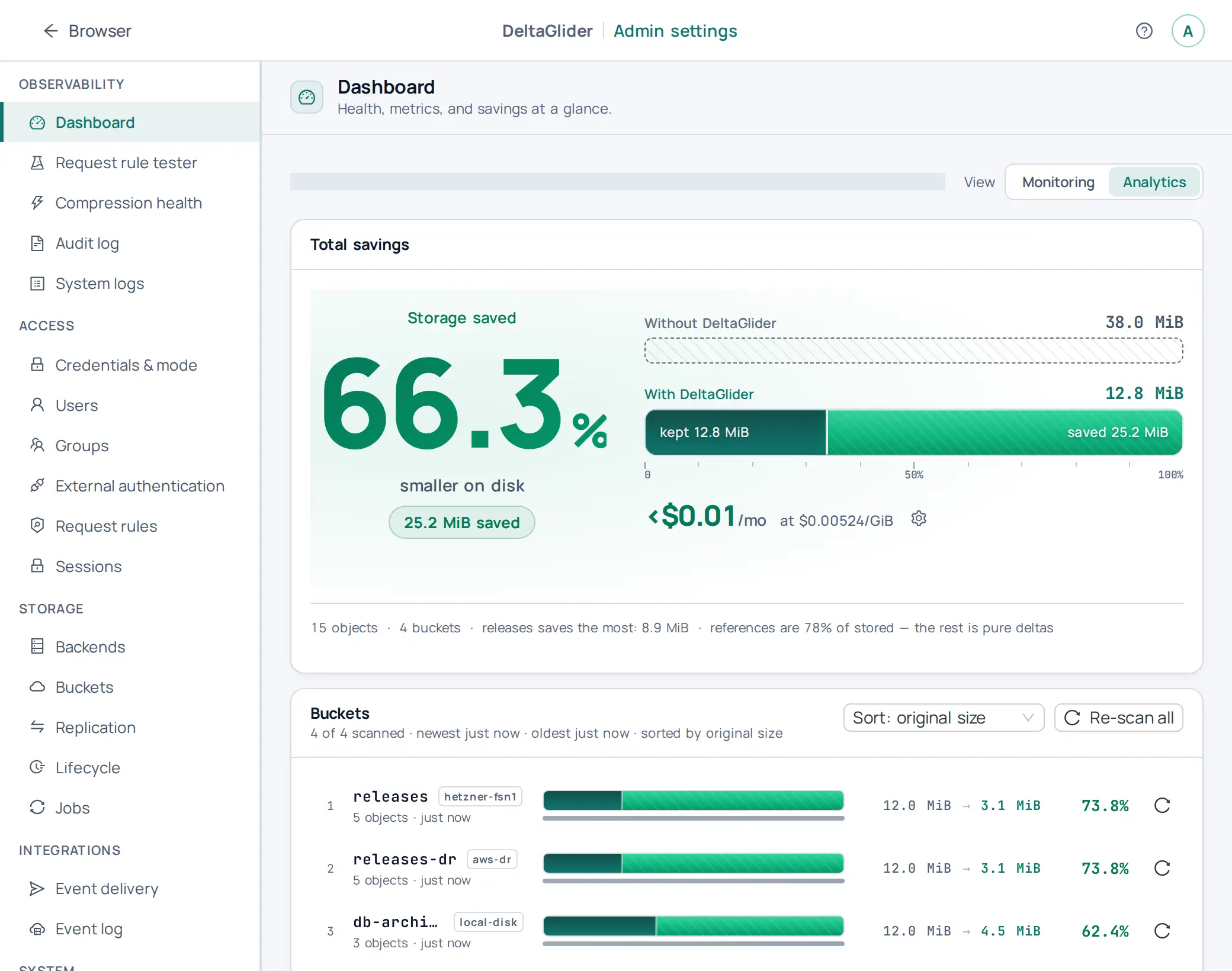
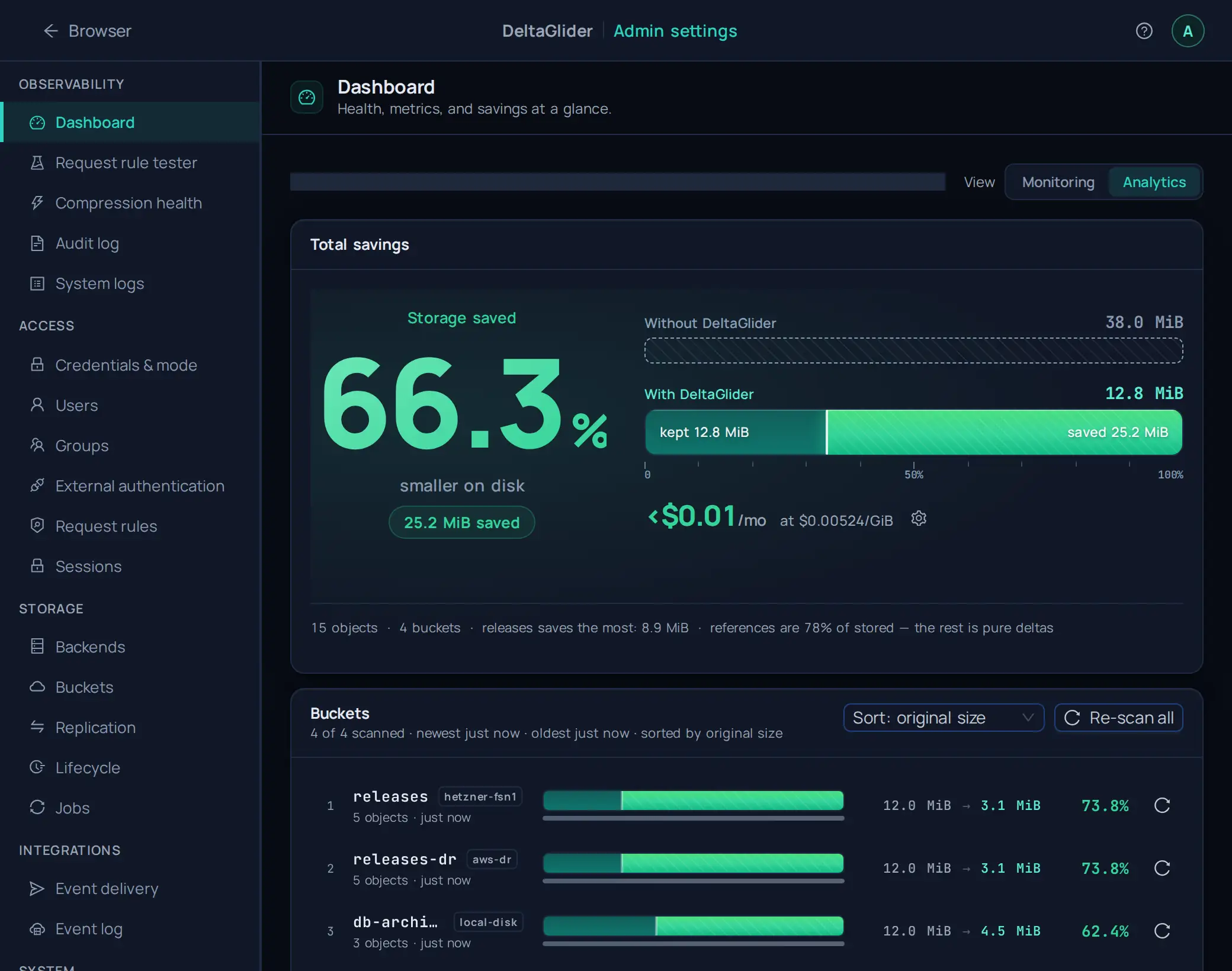
The admin UI has a live monitoring page, Observability → Dashboard (/_/admin/dashboard). It shows the same metrics, refreshes them every 5s, and has an Analytics view that shows the savings and the estimated cost for each bucket. The Monitoring view leads with 9 headline KPIs; deeper codec/latency telemetry sits behind a default-closed "Detailed telemetry" toggle. It does not replace Grafana in production, because it has no historical retention and no alerting. It answers "is the proxy healthy right now?" without leaving the UI.
Verify#
# The endpoint serves Prometheus text format
curl -s https://s3.acme.example/_/metrics | grep deltaglider_ | head

# Prometheus sees the target as up
curl -s 'http://localhost:9090/api/v1/query?query=up{job="deltaglider"}' | jq '.data.result[].value'
In Grafana, the request-rate panel should show data within one scrape interval of real traffic. To test the alert pipeline, stop the proxy and confirm DeltaGliderDown fires after 2 minutes.
Related#
- Metrics reference: full catalog, labels, buckets
- How to take a proxy to production: cache sizing and codec concurrency knobs
- Troubleshooting: symptom → metric mapping when something misbehaves