Authentication & Access Control
DeltaGlider Proxy supports multiple authentication methods: SigV4 (standard S3 auth), OAuth/OIDC (Google, Okta, Azure AD), and public prefixes (anonymous read access). These can be combined — OAuth users get IAM permissions via group mapping, while specific folders are optionally published for unauthenticated download.
Auth Modes
Bootstrap Mode (default on fresh install)
A single S3 credential pair configured via YAML or environment variables. All clients share the same credentials. Admin GUI access requires the bootstrap password.
# deltaglider_proxy.yaml
access:
  access_key_id: myaccesskey
  secret_access_key: mysecretkey
export DGP_ACCESS_KEY_ID=myaccesskey
export DGP_SECRET_ACCESS_KEY=mysecretkey
IAM Mode (activates when IAM users exist)
Per-user credentials stored in an encrypted SQLCipher database (deltaglider_config.db). Each user has their own access key, secret key, and permission rules. Admin GUI access is permission-based — IAM admins don't need the bootstrap password.
IAM mode activates automatically when the first IAM user is created via the admin GUI or via OAuth auto-provisioning. The bootstrap credentials are migrated as a "legacy-admin" user.
IAM Source of Truth (access.iam_mode)
Orthogonal to the bootstrap/IAM/OAuth selection above, the access.iam_mode YAML selector controls where IAM state lives:
gui(default) — the encrypted SQLCipher DB is authoritative. Admin GUI + admin API mutate the DB directly. YAMLaccess:carries only the legacy SigV4 pair +authenticationselector.declarative— YAML is authoritative. Admin API IAM mutation routes (POST/PUT/PATCH/DELETEon/users,/groups,/ext-auth/*,/migrate, backup import) return403 { "error": "iam_declarative" }. Read routes stay accessible.
access:
  iam_mode: declarative
Mode transitions are audit-logged at warn level on the deltaglider_proxy::config target.
In declarative mode, access.iam_users, access.iam_groups, access.auth_providers, and access.group_mapping_rules in the YAML ARE authoritative. The reconciler runs on every /config/apply (or section-PUT on access), diffs YAML against the encrypted DB, and applies creates/updates/deletes atomically in a single transaction. User/group IDs are preserved across updates so OAuth external_identities stay valid through access-key rotations. See declarative-iam.md for the wire shape, adversarial edges, and the two setup workflows (export-from-DB vs author-from-scratch).
OAuth/OIDC Mode
Users authenticate via an external identity provider (Google, Okta, Azure AD, Keycloak, or any OIDC-compliant provider). The proxy handles the full OAuth flow: PKCE, state parameter, nonce, and JWT validation.
On first login, the proxy auto-provisions an IAM user from the identity provider's claims (email, name, subject). On subsequent logins, the existing user is updated with fresh identity data.
Group mapping rules automatically assign permissions based on:
- Email domain —
*@company.commatches all company employees - Email glob —
admin-*@company.commatches admin accounts - Email regex — full regex pattern matching
- Claim value — match on any JWT claim (department, role, etc.)
Configured via the admin GUI under Access → External authentication → Mapping Rules (in iam_mode: gui) or via access.auth_providers + access.group_mapping_rules in YAML (in iam_mode: declarative — see declarative-iam.md).
Public Prefixes (anonymous read access)
Specific bucket/prefix paths can be configured for unauthenticated read-only access. Anonymous users can GET, HEAD, and LIST objects under public prefixes — but cannot PUT, DELETE, or access anything outside the configured prefixes.
storage:
  buckets:
    releases:
      public_prefixes: ["builds/", "artifacts/"]
    docs-site:
      public: true        # shorthand for public_prefixes: [""]
See Public Prefixes below for details.
Operator-Authored Admission Blocks
Pre-auth request gating is authored in admission.blocks[]. Blocks are evaluated top-to-bottom and fire before the synthesized public-prefix blocks derived from storage.buckets[*].public_prefixes.
admission:
  blocks:
    - name: deny-known-bad-ips
      match:
        source_ip_list: ["203.0.113.5", "198.51.100.0/24"]
      action: deny
    - name: maintenance-mode
      match: {}
      action:
        type: reject
        status: 503
        message: "We'll be right back."
See configuration.md for the full operator wire format.
Open Access (development only)
The proxy refuses to start without authentication credentials. To explicitly run without authentication:
access:
  authentication: none
Security: Open access exposes all S3 data without credentials. Never use in production.
Bootstrap Password
A single infrastructure secret that serves three purposes:
- Encrypts the config database — IAM users, OAuth providers, and group mapping rules are stored in SQLCipher, encrypted with the bcrypt hash of this password
- Signs admin session cookies — HMAC-based session authentication for the admin GUI
- Gates admin GUI access — In bootstrap mode (before IAM users exist), this password is required to access settings
Lifecycle
- Auto-generated on first run if not set. The plaintext is printed to stderr only when stderr is a TTY; in containers/CI only the bcrypt hash is logged. Hash saved to
.deltaglider_bootstrap_hash. - Set explicitly via
DGP_BOOTSTRAP_PASSWORD_HASHenv var (accepts bcrypt or base64-encoded bcrypt — base64 avoids$escaping in Docker/shell). YAML:advanced.bootstrap_password_hash. Legacy alias:DGP_ADMIN_PASSWORD_HASH. - Reset via
--set-bootstrap-passwordCLI flag (reads the new plaintext from stdin).
Warning: Resetting the bootstrap password invalidates the encrypted IAM database. All IAM users, OAuth providers, and group mappings will be lost. The proper rotation path is
PUT /_/api/admin/password(verifies the current password and re-encrypts the DB atomically).
IAM Permissions (ABAC)
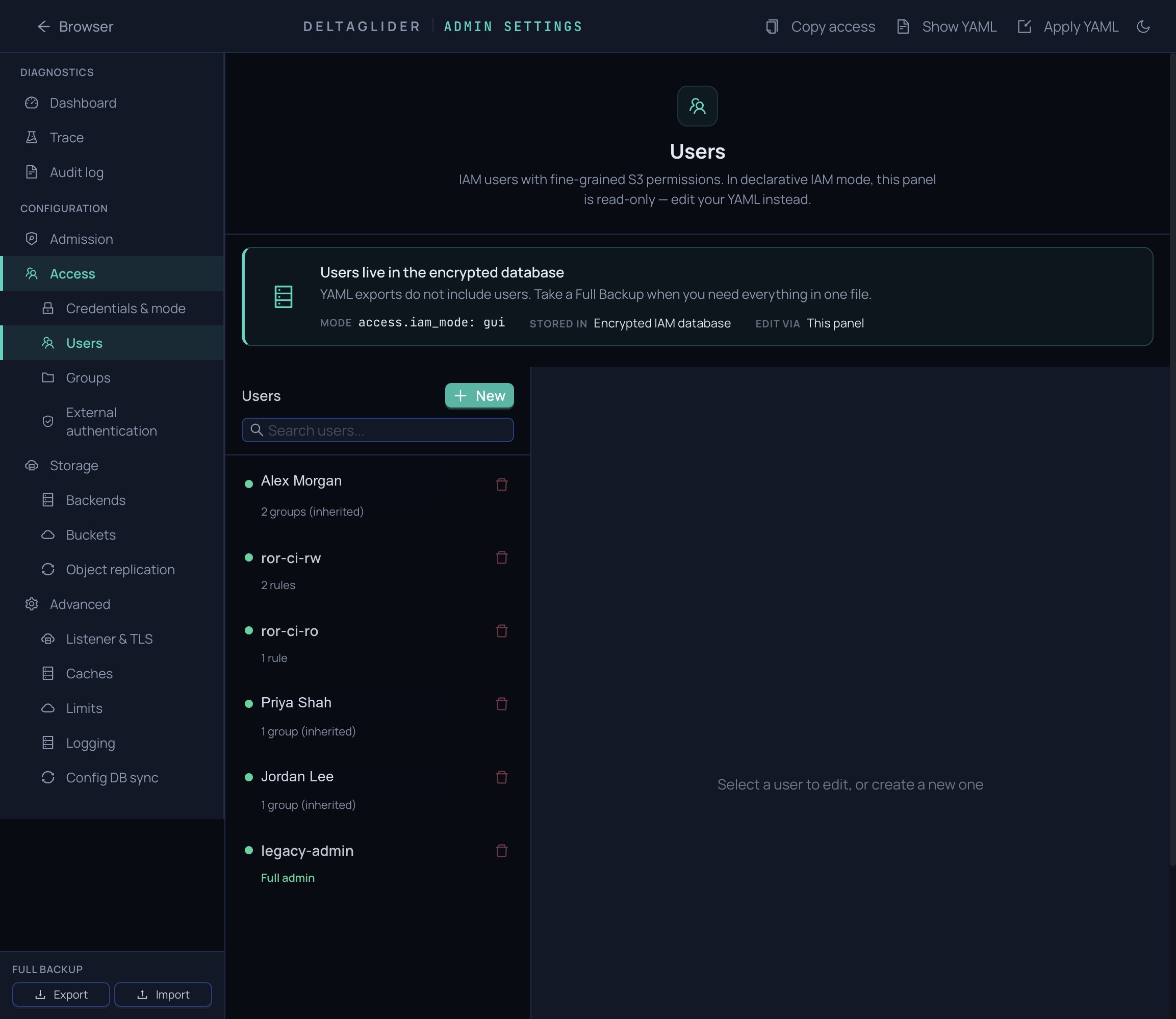
Each IAM user (whether created manually or auto-provisioned via OAuth) has one or more permission rules:
{
  "effect": "Allow",
  "actions": ["read", "list"],
  "resources": ["mybucket/releases/*"],
  "conditions": {
    "IpAddress": { "aws:SourceIp": "10.0.0.0/8" }
  }
}
Actions
| Action | S3 Operations |
|---|---|
read | GetObject, HeadObject |
write | PutObject, CopyObject, CreateMultipartUpload, UploadPart, CompleteMultipartUpload |
delete | DeleteObject, DeleteObjects |
list | ListBuckets, ListObjectsV2, ListMultipartUploads, ListParts |
admin | Admin GUI access, config changes |
* | All actions |
Resources
Glob patterns matching bucket/key:
*— all buckets and keys (full admin)mybucket/*— all keys inmybucketmybucket/releases/*— keys underreleases/prefix
Effect
Allow— grants access (default)Deny— explicitly blocks access (overrides Allow rules)
Conditions (optional)
AWS IAM-style condition blocks:
aws:SourceIp— restrict by client IP (CIDR notation)s3:prefix— restrict LIST operations to specific prefixes
See IAM conditions for full reference.
A user is considered an admin when they have both wildcard actions (*) AND wildcard resources (*).
ListBucket scope filtering
When a user with prefix-scoped permissions (e.g. { resources: ["bucket/alice/*"] }) calls GET /bucket?list-type=2&prefix= with an empty prefix or a prefix wider than their policy covers, the proxy admits the request (so the user can discover their own keys) but post-filters each returned key and CommonPrefix through their per-key policy. Only keys the user has read OR list permission on are returned.
Operators and SDKs can tell a filtered page from an unrestricted one via the x-amz-meta-dg-list-filtered: true response header.
Pagination stays honest: is_truncated and the continuation token reflect the engine-level cursor (not the filtered count). The client's max_keys acts as a server-side inspection cap — the returned page may be smaller. This matches AWS's documented behaviour when denies apply within allows.
Unscoped users pay no filter cost — if the policy covers the full bucket/prefix, the handler returns the engine page unchanged.
Workflow bypass prevention
The proxy refuses to implicitly create a bucket as a side effect of a PUT. Even on the filesystem backend (where the underlying FS would happily create a parent directory), writes to a non-existent bucket return 404 NoSuchBucket — matching the S3 backend's contract and preventing bypass of bucket-creation authorization.
IAM Groups
Users can be organized into groups with shared permission rules. Group permissions are merged with the user's direct permissions at evaluation time.
Groups are managed via the admin GUI (Admin Settings > Groups). OAuth group mapping rules automatically add users to groups on login.
OAuth/OIDC Configuration
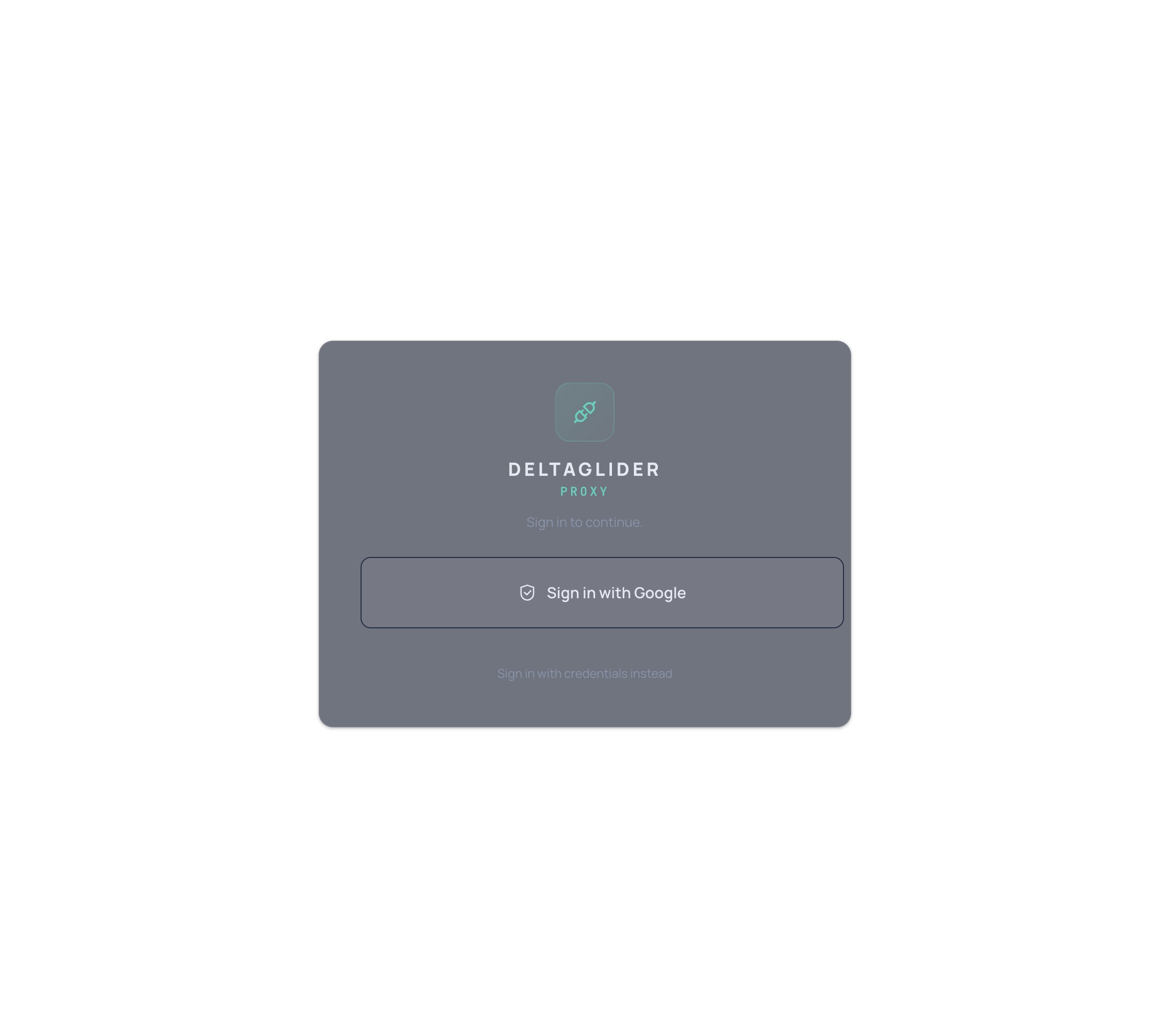
Setting Up a Provider
- Open the admin GUI → Admin Settings → Authentication
- Click Add Provider and select the provider type (Google, OIDC Generic)
- Enter the required fields:
- Client ID — from your identity provider's OAuth app
- Client Secret — from your identity provider's OAuth app
- Issuer URL — OIDC discovery endpoint (e.g.
https://accounts.google.com) - Display Name — shown on the login button
- Save and test
Group Mapping Rules
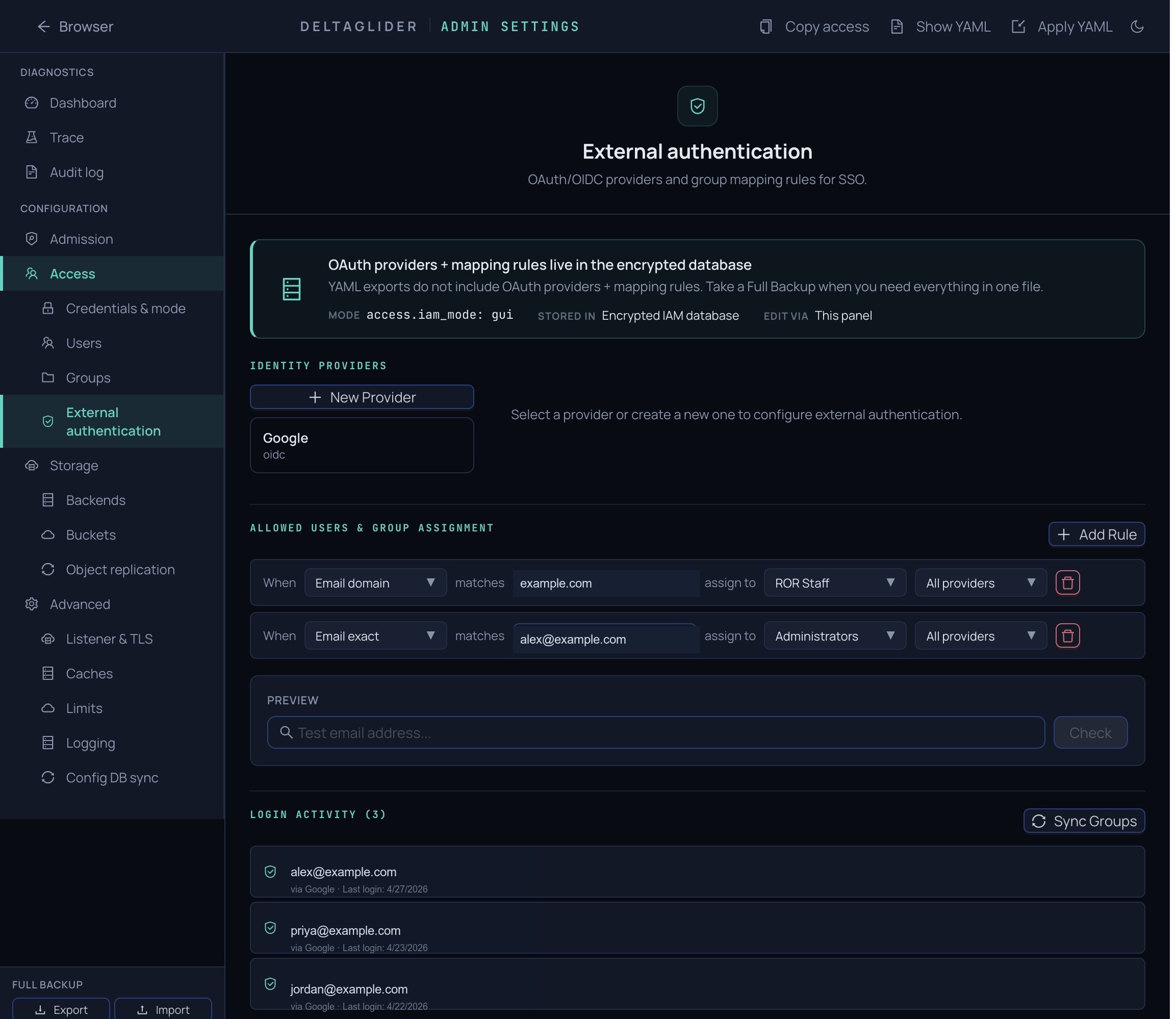
After configuring an OAuth provider, set up mapping rules to auto-assign permissions:
- Go to Authentication → Mapping Rules
- Add a rule:
- Match type: email_domain, email_glob, email_regex, or claim_value
- Match value: the pattern to match (e.g.
company.com,admin-*@company.com) - Target group: which IAM group to add matched users to
- Save
On each OAuth login, the user's group memberships are merged (not replaced) — existing group memberships from previous logins or manual assignment are preserved.
OAuth Login Flow
Browser → /_/ login page → "Sign in with Google" button
    → Redirect to Google (PKCE + state + nonce)
    → User authenticates with Google
    → Google redirects back to /_/api/admin/auth/callback
    → Proxy validates JWT (algorithm from header, audience, issuer, nonce)
    → Auto-provision or update IAM user
    → Apply group mapping rules
    → Create admin session + auto-populate S3 credentials
    → Redirect to /_/browse
Public Prefixes
Public prefixes allow unauthenticated read-only access to specific bucket/prefix paths. Useful for publishing release artifacts, documentation, or public assets.
Configuration
storage:
  buckets:
    releases:
      public_prefixes: ["builds/", "docs/"]
    docs-site:
      public: true        # entire bucket — shorthand
Or via the admin GUI → Storage → Buckets → edit bucket → Anonymous read access (tri-state: None / Specific prefixes / Entire bucket).
Behavior
- Allowed without auth: GET, HEAD on objects under the prefix; LIST with a matching prefix
- Always denied without auth: PUT, DELETE, COPY, multipart uploads
- Scoped: anonymous LIST only returns objects under the public prefix — not the whole bucket
- Auth still wins: if a request carries valid SigV4 credentials, full IAM evaluation runs regardless of public prefix config
- Audit logged: all anonymous access is logged as
user=$anonymous
Security Notes
- Trailing
/on prefixes is significant:builds/only matchesbuilds/..., notbuildscripts/ - Empty prefix
""makes the entire bucket public (logged as a warning at startup) - Prefixes containing
.., null bytes, or//are rejected
SigV4 Verification
The proxy verifies SigV4 signatures from two sources:
| Path | Source | Use case |
|---|---|---|
| Header auth | Authorization: AWS4-HMAC-SHA256 ... | Standard S3 SDK calls |
| Presigned URL | X-Amz-Algorithm + X-Amz-Signature query params | Browser downloads, shareable links (up to 7 days) |
Both paths extract the access key ID, look up the user (bootstrap: single credential; IAM: lookup by access key), and verify the HMAC-SHA256 signature against the user's secret key using constant-time comparison.
Verify-Then-Re-sign
SigV4 signatures are bound to the Host header and URI path. The proxy cannot forward the client's signature — it verifies it, discards it, and makes its own authenticated requests to the backend using the AWS SDK.
S3 Backend Credentials
When using the S3 backend, the proxy needs two credential sets:
- Proxy credentials — for client-to-proxy auth (SigV4 or OAuth)
- Backend credentials — for proxy-to-upstream-S3 auth
# Backend auth (proxy → upstream S3/MinIO)
export DGP_BE_AWS_ACCESS_KEY_ID=minioadmin
export DGP_BE_AWS_SECRET_ACCESS_KEY=minioadmin
export DGP_S3_ENDPOINT=http://localhost:9000
Using with S3 Tools
aws-cli
export AWS_ACCESS_KEY_ID=myaccesskey
export AWS_SECRET_ACCESS_KEY=mysecretkey
export AWS_ENDPOINT_URL=http://localhost:9000

aws s3 cp file.zip s3://mybucket/file.zip
aws s3 ls s3://mybucket/
aws s3 presign s3://mybucket/file.zip --expires-in 3600
boto3 (Python)
import boto3

s3 = boto3.client(
    's3',
    endpoint_url='http://localhost:9000',
    aws_access_key_id='myaccesskey',
    aws_secret_access_key='mysecretkey',
    region_name='us-east-1',
)

s3.upload_file('file.zip', 'mybucket', 'file.zip')
url = s3.generate_presigned_url(
    'get_object',
    Params={'Bucket': 'mybucket', 'Key': 'file.zip'},
    ExpiresIn=3600,
)
Error Responses
| Error Code | HTTP Status | Cause |
|---|---|---|
AccessDenied | 403 | Missing credentials, insufficient permissions, or public prefix mismatch |
SignatureDoesNotMatch | 403 | Signature verification failed |
RequestTimeTooSkewed | 403 | Client clock differs from server by more than the configured tolerance |
InvalidArgument | 400 | Malformed Authorization header or unparseable date/expiry |
SlowDown | 429 | Rate limited due to repeated auth failures |
All errors are returned as standard S3 XML error responses.
Security Considerations
- Use HTTPS in production: SigV4 authenticates but does not encrypt. Use a TLS-terminating reverse proxy or enable built-in TLS.
- Bootstrap password security: The bootstrap password encrypts the IAM database. Treat it like a master key.
- Credential rotation: IAM user keys can be rotated via the admin GUI without downtime.
- Presigned URL expiration: Maximum 7 days. Generate short-lived URLs when possible.
- OAuth session hardening: Sessions are IP-bound, have configurable TTL (default 4h), and auto-evict oldest when the concurrent session limit (10) is reached.
- Region: The proxy accepts any region in the credential scope. Standard S3 tools default to
us-east-1.